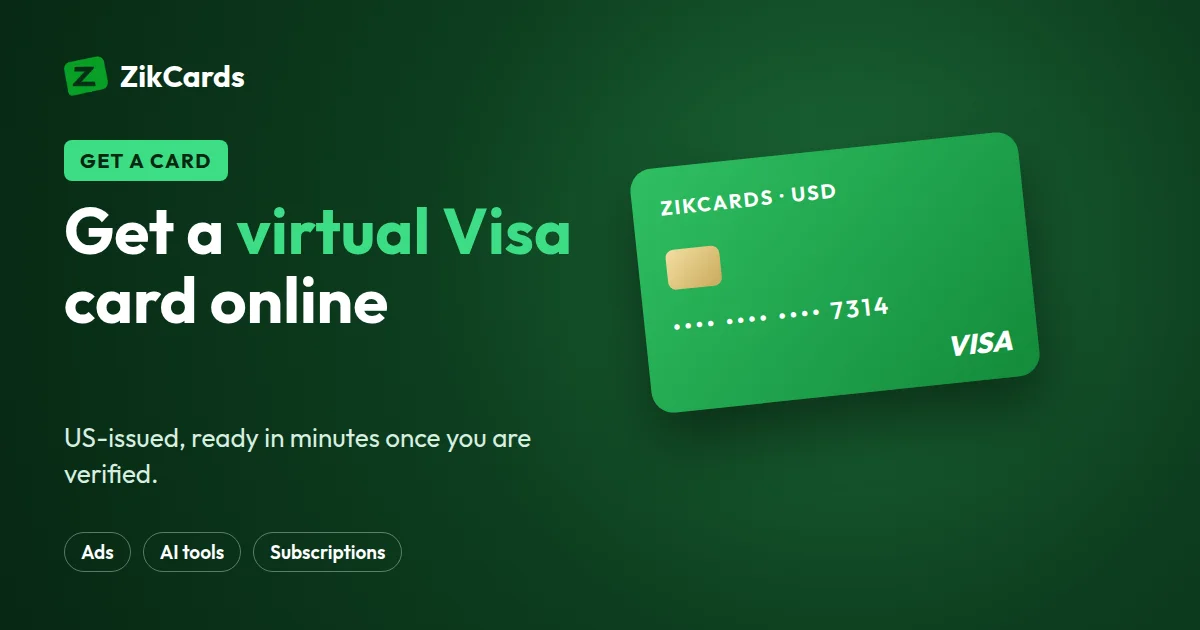
A virtual Visa card is a Visa card number that lives on your phone or computer instead of in your wallet. You use it to pay online, at any checkout that takes Visa. Many people search for one because their local card is refused abroad, or because they want a separate card for subscriptions and tools. This guide explains what a virtual Visa card is, how to get one online in a few minutes with ZikCards, what it costs, how Visa Secure works, and the mistakes that most often cause a refused payment.
What is a virtual Visa card?
A virtual Visa card has the same three details as a plastic Visa card: a 16-digit card number, an expiry date and a three-digit security code (Visa calls it the CVV2). There is no plastic. You see the details on a screen and type them into a checkout form, the same way you would type a physical card.
Behind the logo, two companies are involved. Visa runs the network that carries the payment. An issuer, a bank or licensed card company, creates the card and decides its fees, its country and how money gets onto it. That is why two virtual Visa cards can feel very different. If you want the full background, read what a virtual card is.
You can tell a Visa card by its first digit: every Visa card number starts with 4. The ZikCards Visa BIN is 4865**. You can check any card's brand, type and country with our free BIN lookup or card brand checker.
Why people choose a virtual Visa card online
- A US card for US websites. Many online services check where a card was issued. A card issued in the US removes the most common reason foreign cards are refused, the card's country. Each website still runs its own checks, so no card provider can promise acceptance.
- One card per purpose. You can keep one card for a software tool, another for a streaming service, and another for a one-time purchase. If one merchant has a problem, your other payments are not affected.
- Control over spending. The card spends only what you load onto it. A forgotten free trial cannot take more than is on the card.
Is a ZikCards virtual Visa prepaid?
First, how you use it: a ZikCards virtual Visa card is loaded from your balance first and spends only what is on it. There is no bill at the end of the month, no interest and no credit check.
Second, what the card is: the card is issued on a US credit BIN range. The BIN is the first part of the card number, and it tells merchants the card's brand, type and country. A BIN check on a ZikCards Visa shows "credit" and the country USA. But no credit line is given. You never borrow money, and you can only spend your own loaded balance.
So it is a virtual Visa card on a US credit BIN, loaded from your balance, with no credit line. Our guide on prepaid vs credit BIN explains the difference in more detail, and what a BIN number is covers how BINs work.
How to get a virtual Visa card online in minutes
Here is the full process with ZikCards, from sign-up to your first payment.
- Create your account. Sign up at zikcards.com with your email. You must be 18 or older, and you cannot sign up if you live in or are a national of a country on our restricted countries list.
- Verify once. Take a photo of your passport, national ID card or driving licence, then record a short selfie on your phone. Most verifications are approved automatically within minutes. See what ID you need to sign up.
- Fund your balance. Deposit USDT or USDC to your ZikCards wallet. USDT works on BNB Smart Chain, Polygon, Solana, TRON or Ethereum; USDC on BNB Smart Chain, Polygon or Solana. Always send on the exact network you chose in the dashboard. See which network to send USDT on.
- Create a card and choose Visa. Each time you create a card, you pick Visa or Mastercard. Pick Visa and enter the amount to load. The card is ready in seconds. You can give it a name on the My cards page afterwards, so you remember what it is for.
- Open the card page. The card number, expiry date and security code are revealed securely on the card page. The card's own billing address is shown there too, with a copy button.
- Pay. Enter the card details at checkout, and use the card's billing address, not your home address.
Virtual Visa card instant: what "instant" really means
With ZikCards, the card itself is created in seconds once your balance is funded. Two steps come first:
- Verification is usually minutes, and you do it once.
- Your deposit needs the blockchain to confirm it. That is usually quick, but speed depends on the network you send on.
If you need a card for a payment today, sign up and verify early, then fund the wallet. In rare cases, card creation can be held for a short time if the issuer has an error. Your money is never lost: either the card is created or the full amount is returned.
How much to load, and what it costs
When you load a card, remember that $1.20 stays on each open card while it is open. It comes back to you when you close the card. So the amount you can spend is your card balance minus $1.20.
Example: you want to pay a $20 subscription. Load at least $21.20, plus a little extra if the merchant adds tax or the payment settles outside the US. The 3% load fee is charged on top, from your balance, so loading $21.20 takes about $21.84 from your wallet.
The main fees are:
| Fee | Amount |
|---|---|
| Card creation | $5 one-time ($3 for your first card with a $2-off discount code) |
| Loading money onto a card | 3% |
| Deposit to your wallet | From $1 + 1%, depending on the network |
| Monthly card fee | None |
| Declined payment (card issuer) | $0.40 each, taken from the card |
| Purchase settling outside the US (card issuer) | $0.50 + 2.5% |
| Closing a card | Free; the full balance returns to your wallet |
The decline fee applies to every refused attempt, including retries and attempts on a frozen card, so do not keep retrying a failed payment. Declines in blocked categories are free. Our pricing page always has the current numbers.
Visa Secure: the extra check at checkout
Visa Secure is Visa's name for 3D Secure. It used to be called "Verified by Visa". Some merchants run this check when you pay. Many checks pass in the background without asking you anything. Others may ask for a one-time code.
Every ZikCards card supports it. When a merchant asks for a code, it appears as a banner at the top of your ZikCards dashboard, with a copy button and the last four digits of the card. If you connected Telegram, the code is also sent to you by @ZikCardsSupportBot. The code is valid for that one payment only. ZikCards will never ask you for it, so never share it with anyone.
Our 3D Secure guide explains the check step by step, and you can also read the merchant asked for a verification code.
Common mistakes that get a virtual Visa refused
- Using your home address. Each card has its own billing address. Copy it from the card page. See what billing address to use at checkout.
- Loading the exact price. Forgetting the $1.20 that stays on the card, or tax, leaves the balance short.
- Retrying again and again. Each decline costs $0.40. Stop, find the reason, then try once more.
- Buying in a blocked category. Gambling, crypto purchases, money transfers, cash advances, fuel pumps, transit and taxis, dating services, and stored value cards always decline. There is no ATM or cash use. See which purchases are blocked.
- Missing the Visa Secure code. If the code screen times out, the payment fails.
For every other reason, read why cards are declined online.
Visa or Mastercard: which should you create?
For most online payments, both work the same way. Both ZikCards brands are US cards on credit BIN ranges, with the same fees and the same features. The Visa uses Visa Secure for its 3D Secure check; the Mastercard uses Mastercard Identity Check.
If a checkout lists only Visa, create a Visa. Our Visa vs Mastercard comparison covers the small differences, and our virtual Mastercard guide walks through the Mastercard side.
Managing your visa virtual card after you pay
- Freeze a card when you do not need it for a while. A frozen card declines every payment, but the issuer still charges the decline fee on attempts, so cancel the subscription with the merchant too.
- Close a card when you are finished with it. Closing is permanent and returns the remaining balance, including the $1.20, to your wallet with no fee. See freeze or close a card.
- Wait for refunds before closing. A merchant refund goes back to the card that was charged, not to your wallet. Keep the card open until it arrives. Read how refunds from a merchant work.
- Use it in shops. A card can be added to Apple Pay or Google Pay by hand, using the card's own billing address. See adding a virtual card to Apple Pay and Google Pay.
Each card is valid for three years and does not renew automatically.
Frequently asked questions
Is a Visa virtual credit card the same as a virtual Visa card?
Not always. A Visa virtual credit card from a bank spends a credit line you repay later. A ZikCards virtual Visa card is on a US credit BIN, loaded from your balance, with no credit line, no bill and no interest. Read more about the virtual credit card.
Is there a virtual Visa prepaid card?
Yes, many providers sell one: a Visa loaded first that spends only what is on it. Our virtual prepaid card guide explains how they work and how a balance-funded card like ZikCards compares. For speed, see the instant virtual card.
Does the card give me credit?
No. It is issued on a US credit BIN range, but it is loaded from your balance first and spends only what is on it. There is no credit line, no bill and no interest.
Will my virtual Visa card work on every website?
It works wherever Visa is accepted online, but each merchant runs its own checks, so no card provider can promise that a specific payment will be accepted. Blocked categories, such as gambling and crypto purchases, always decline.
Can I fund it with a bank account or another card?
No. ZikCards balances are funded with USDT or USDC only. ZikCards does not sell crypto, so buy it on an exchange that is allowed to serve your country.
Is there a monthly fee for a visa virtual card?
No. There is a one-time creation fee and a fee to load money onto a card, but no monthly card fee. See the pricing page for all fees.
How long does the card last?
Three years from creation, with no automatic renewal. See how long a card lasts.
Need a virtual Visa card for your next payment? Create your ZikCards account. See every fee on our pricing page.
Visa, Mastercard, Apple Pay, Google Pay and Telegram are trademarks of their respective owners. ZikCards is not affiliated with or endorsed by them.