Every Visa or Mastercard has a type: credit, debit or prepaid. People often ask what the difference is, and why a BIN lookup shows one type while the card works in a way that sounds like another. This guide explains what each card type means, how the type is registered on the card's BIN range, what a BIN lookup can and cannot tell you, and how the money behind each type works. At the end we explain where ZikCards cards sit.
Three card types in plain words
All three types look the same at checkout. You type 16 digits, an expiry date and a security code. The difference is where the money comes from and who carries the risk.
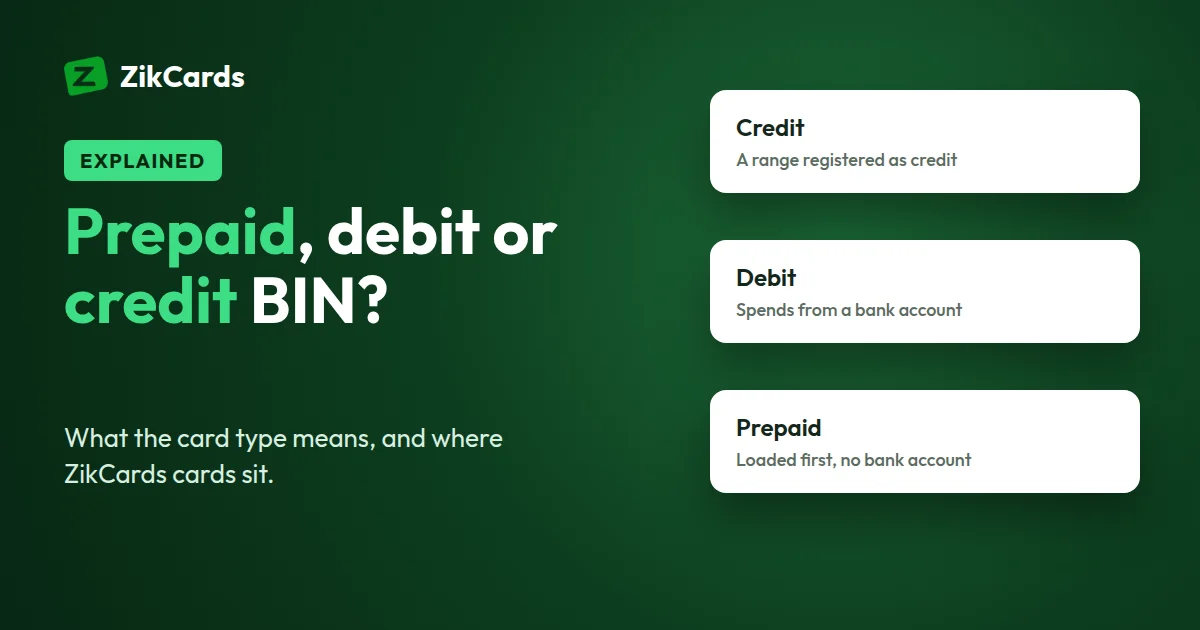
- Credit: on a classic credit card, the bank lends you the money. You spend first and pay later. You get a monthly bill, and if you don't pay it in full, the bank may charge interest.
- Debit: the card takes money straight from a bank account you hold. You can only spend what is in the account, unless the bank allows an overdraft.
- Prepaid: money is loaded onto the card before you spend. The card is usually not linked to a bank account. Gift cards, travel money cards and some payroll cards are common examples.
Prepaid vs credit card vs debit card: how the money works
The easiest way to compare the three is to follow the money. The table below shows the classic version of each type.
| Credit | Debit | Prepaid | |
|---|---|---|---|
| Where the money comes from | A credit line from the bank | Your bank account | A balance loaded in advance |
| When you pay | Later, when the bill arrives | At once, from the account | Before, when you load the card |
| Monthly bill | Yes | No (bank statement only) | No |
| Interest | Possible, on unpaid balances | Only on an overdraft | No |
| Credit check to get one | Usually yes | Usually no, but you need a bank account | Usually no |
| Can you spend more than you have? | Yes, up to the limit | Only with an overdraft | No |
Real products can mix these features. Some banks offer secured credit cards backed by a deposit. Some debit cards have no overdraft at all. The table describes the usual pattern, not every card on the market.
Prepaid card vs debit card: the key difference
People searching for a "card prepaid debit" often mean one of two things, so it helps to separate them. A debit card is tied to a bank account. The money sits in the account, and the card is a way to reach it. A prepaid card holds its own balance. You load it, spend it, and load it again.
In daily use they feel the same, because both spend only money you already have. The differences show up elsewhere:
- Account: a debit card needs a bank account. A prepaid card usually does not.
- Risk: if a debit card is misused, the money at risk is the money in your bank account. With a prepaid card, it is only what is on the card.
- Top-ups: a debit card fills up when money lands in the account, for example your salary. A prepaid card fills up only when you load it.
How the card type is registered on the BIN range
The first 6 to 8 digits of a card number are the BIN, the Bank Identification Number. Card networks like Visa and Mastercard give blocks of numbers, called ranges, to card issuers. When an issuer sets up a range, it registers details about it with the network. One of those details is the type: credit, debit or prepaid.
Two points matter here:
- The type belongs to the range, not to you. Every card issued from the same range carries the same registered type, whoever holds it.
- The type does not tell you the card's terms. Whether a card has a credit line, a monthly bill or interest is set by the card's own terms with the issuer. The registered type is a label on the range. The terms decide how you pay for what you spend.
This is why a BIN lookup and a card's terms can describe the card in different words. The lookup shows how the range is registered. The terms show how the money works.
What a BIN lookup shows (and what it doesn't)
You can check any card's first digits with our free BIN lookup. A typical result shows:
- Brand: Visa, Mastercard or another network.
- Type: credit, debit or prepaid.
- Level: a product tier, such as Classic, Platinum or Business.
- Issuer and country: the bank or programme behind the range and where it is registered.
A BIN lookup never shows the cardholder's name, the full card number, the expiry date, the security code or the balance. It also can't tell you whether a card has a credit line. BIN databases are not always up to date, so treat the result as a strong hint, not a certainty. If you only want to know whether a number is Visa or Mastercard, the card brand checker answers that from the first digits.
Merchants and their payment providers read the same BIN data when you pay. They can see a card's brand, type and country, and some merchants apply their own rules based on it. Each merchant decides its own rules, and they are not published.
Virtual Visa and Mastercard cards: does "virtual" change the type?
No. "Virtual" means the card has no plastic. You get the card number, expiry and security code on a screen and use them online. A virtual card can sit on a credit, debit or prepaid range, just like a plastic card. That is why searches like "virtual prepaid Mastercard" or "virtual Visa prepaid card" describe two separate things: the form (virtual) and the type (prepaid).
To learn more about the form itself, read what is a virtual card. If you are choosing between the two networks, see Visa vs Mastercard virtual card.
Where ZikCards cards sit
ZikCards issues US Visa and Mastercard virtual cards. Here is how they work, stated plainly:
- BIN type: the cards are issued on US credit BIN ranges. A BIN lookup on a ZikCards card shows "credit" and the country USA. The Visa BIN is 4865** and the Mastercard BIN is 5371**.
- Funding: each card is loaded from your ZikCards balance first, and it spends only what is on it.
- No credit is given: there is no credit line, no monthly bill, no interest and no credit check.
So the registered type is credit, while the funding works by loading money first. Both statements are true at once, for the reason explained above: the type belongs to the range, and the card's terms decide how the money works.
You fund your balance with USDT or USDC, then load the amount you need onto a card. A small amount of $1.20 stays on each open card while it is open and comes back when you close the card. So if you want to spend $50, load at least $51.20 onto the card, plus room for any tax or currency difference. The 3% load fee is charged on top, from your balance, so loading $51.20 takes about $52.74 from your balance. Every fee is on our pricing page.
Some practical points:
- You choose Visa or Mastercard each time you create a card, and the card is ready in seconds.
- Each card has its own billing address on the card page. Use that address at checkout, not your home address.
- Cards support 3D Secure, a check that may ask for a one-time code during payment. Our 3D Secure guide explains it.
- A US card removes one common reason cards are refused, the card's country, but each merchant still runs its own checks, so no card provider can promise acceptance. If a payment fails, our card declined online guide walks through the usual causes.
Mistakes to avoid
- Reading the BIN type as the card's terms. "Credit" on a lookup does not mean a bank is lending you money. Check the terms.
- Loading the exact price. Leave room for tax, currency differences and, on ZikCards, the $1.20 that stays on the card.
- Using your home address at checkout. Use the billing address registered to the card.
- Retrying a declined payment many times. Each attempt can fail for the same reason. Find the cause first.
- Trusting a lookup as final. BIN data can be out of date, especially with newer 8-digit BINs.
Frequently asked questions
What is the difference between a prepaid card and a credit card?
With a classic credit card, the bank lends you money, sends a monthly bill and may charge interest. With a prepaid card, you load money first and spend only what is loaded. There is no bill and no interest.
Is a prepaid card the same as a debit card?
Not quite. A debit card spends money from a linked bank account. A prepaid card holds its own balance, which you load, and usually needs no bank account. Both spend only money you already have.
How can I tell if a card is credit, debit or prepaid?
Enter the first 6 to 8 digits in a BIN lookup. It shows how the issuer registered the card range. The card's own terms tell you how the money works.
Is it a virtual credit card or a virtual debit card?
Neither, in the usual sense. ZikCards cards are issued on US credit BIN ranges, but no credit is given and no bank account is linked. Each card is loaded from your balance first, with no credit line, no bill, no interest and no credit check.
Does ZikCards run a credit check?
No. You verify your identity once with a photo ID and a short selfie, but there is no credit check, because no credit is extended. See do you run credit checks.
Can a virtual Mastercard or Visa card be prepaid?
Yes. "Virtual" only means the card has no plastic. A virtual card can sit on a credit, debit or prepaid range, like any other card.
Can I spend more than I loaded onto a ZikCards card?
No. A card spends only what is on it, minus the $1.20 that stays on the card while it is open. A payment larger than that declines.
Want a US virtual card you load before you spend? Create your ZikCards account. See every fee on our pricing page.
Visa and Mastercard are trademarks of their respective owners. ZikCards is not affiliated with or endorsed by them.