Virtual cards are now a normal way to pay online, but many people are still not sure what one is, how it differs from the card in their wallet, or whether it is safe to use. In short, a virtual card is a real Visa or Mastercard that exists only as details on a screen. This guide explains what a virtual card is and how it works, compares it with a physical card, covers its safety and its limits, and shows how to get and use one with ZikCards.
What is a virtual card?
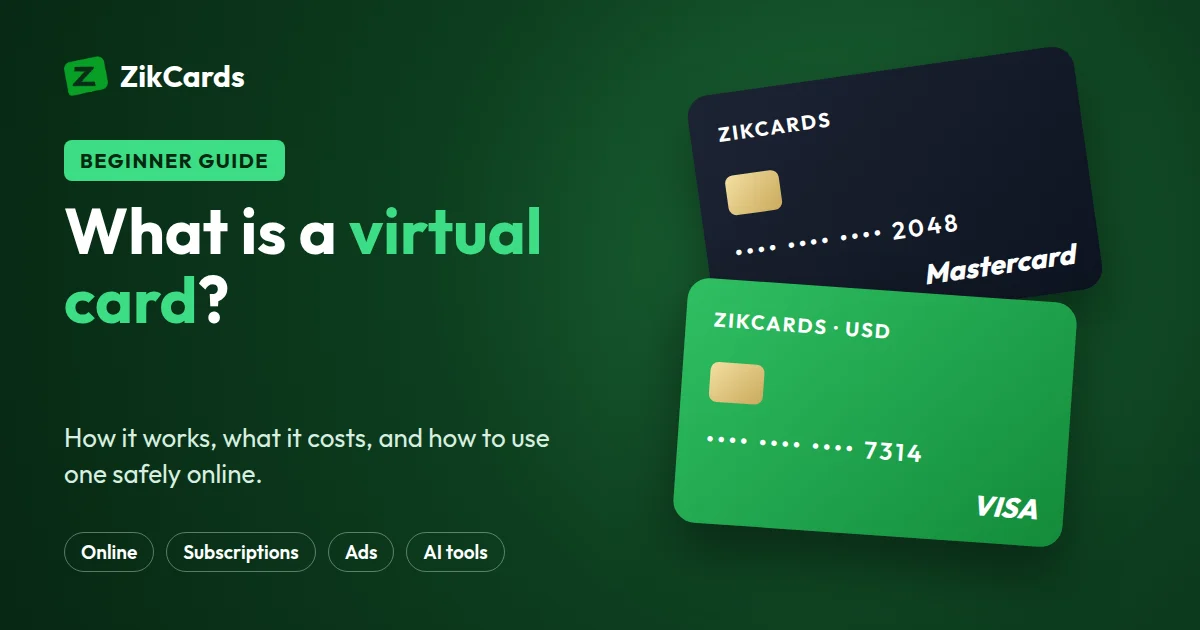
A virtual card is a payment card with no plastic. It has the same details as any other card: a card number (usually 16 digits), an expiry date and a security code (the CVV or CVC, usually three digits). It runs on a card network such as Visa or Mastercard, so a checkout treats it like any other card of that brand.
Nothing arrives by post. The details appear in an app or a web dashboard, often within seconds, and you type them into a checkout, save them with a service that bills you monthly, or add them to a phone wallet.
What is a virtual card number? It is a normal card number. The first six to eight digits are the BIN (bank identification number), which tells a merchant the card's network, its issuer, its country and its type. Our free BIN lookup shows what a merchant sees about any card number's first digits.
How does a virtual card work?
- It is issued. A bank or a card programme creates the card on the Visa or Mastercard network and shows you the details. With most online providers this takes seconds, after a one-time identity check.
- It is loaded or linked. Some virtual cards draw on a bank account you already have. Others are loaded from a balance, so they can spend only what you put on them.
- You pay with it. At checkout you enter the number, expiry date, security code and the billing address the issuer holds for the card. The payment goes through the card network to the issuer, which approves or declines it.
- The merchant may ask for a code. Many payments add a 3D Secure check (Visa Secure or Mastercard Identity Check): a check that may ask for a one-time code to prove the cardholder is the one paying.
- You manage it yourself. From the app you see every payment, add money, freeze the card or close it for good.
Virtual card vs physical card
| Virtual card | Physical card | |
|---|---|---|
| What it is | Card details in an app | A plastic or metal card with a chip |
| Time to get it | Often seconds | Usually days, by post |
| Online payments | Yes | Yes |
| Tap to pay in shops | Through Apple Pay or Google Pay, where supported | Yes |
| Cash from an ATM | Usually no; a ZikCards card has no PIN | Usually yes |
| Hotel or car-rental deposit | The desk may ask for a physical card | Usually accepted |
| A separate card for each service | Easy | Rarely possible |
| If the details leak | Close it and create a new one in minutes | Wait for a replacement by post |
Kinds of virtual cards
- Single-use cards work for one payment and then stop. They suit a one-off purchase from a shop you don't know well.
- Multi-use cards stay open, so you can save them with a subscription, an ad account or a hosting plan. ZikCards cards are multi-use and valid for three years.
- Bank-issued virtual cards are an extra card number on an account you already hold. They carry your bank's country and your bank's rules for online and foreign payments, so they often fail in the same places your bank card does.
- Cards from card programmes and fintechs are issued by a licensed institution and offered through a company such as ZikCards. ZikCards is not a bank: our cards are issued in the United States by a licensed partner institution, and you load each card from your ZikCards balance.
Reloadable virtual cards
A reloadable virtual card is one you can top up again and again instead of throwing it away when the money runs out. It keeps the same card number, so a subscription, an ad account or a store that has the card saved keeps working after each top-up.
- How reloading works. You add money to the card from your balance whenever you need to. With ZikCards you fund your balance with USDT or USDC, then load the amount you want onto any open card; loading costs 3%.
- Why it helps. You only keep on the card what the next payments need, so a leaked number or a surprise renewal can take no more than that.
- What to plan for. On a ZikCards card, $1.20 stays on the card while it is open, so what you can spend is the balance minus $1.20. Closing the card returns everything left to your balance in full.
ZikCards cards are reloadable, valid for three years, and issued on a US credit BIN, loaded from your balance, with no credit line.
What people use virtual cards for
- Online shopping. Your main bank details never reach the shop, and the card holds only a little more than the order costs.
- Subscriptions and free trials. Put each service on its own card with just enough for the renewal. A forgotten trial can't take more than the card holds.
- Ads. One card per ad account or per client keeps budgets apart.
- AI tools and software. Monthly plans for AI, design and coding tools. Our guide to paying for AI tools covers this in detail.
- Separating spending. Business costs on one card, personal ones on another, each with its own list of payments.
A card changes how you pay, not where a service operates. A US card removes the most common reason cards from many countries are refused, the card's country, but each platform runs its own checks, so no card provider can promise acceptance.
Is a virtual card safe?
For online payments, a virtual card is usually safer than giving out your main bank card, for three reasons:
- One card per merchant. If one shop is hacked, only that card is exposed. Close it, and nothing else you pay for is affected.
- A limited balance. A card loaded from a balance can lose at most what is on it. A bank card exposes the whole account behind it.
- You can stop it yourself. Freeze a card the moment something looks wrong, or close it for good, without calling anyone.
With ZikCards, card numbers are never stored on our servers: when you reveal a card, the issuer's secure system shows the details straight to your browser. Every card has 3D Secure. And we never ask you for a card number, a security code or a one-time code.
What a virtual card can't do.
- No cash. There is no PIN, so ATMs and cash withdrawals are out.
- Some in-person situations. A hotel check-in or a car-rental desk may ask to see a physical card for the deposit.
- Blocked merchant groups. ZikCards cards always decline gambling, crypto purchases, cash advances, fuel pumps, transit and taxis, and a few other groups: which purchases are blocked.
Getting a virtual card with ZikCards
- Sign up and verify once. Create an account at zikcards.com and verify with a photo ID (passport, national ID card or driving licence) and a short selfie on your phone. Most verifications are approved automatically within minutes. You must be 18 or over. see what ID you need and the restricted countries list.
- Add USDT or USDC to your balance. USDT on BNB Smart Chain, Polygon, Solana, TRON or Ethereum; USDC on BNB Smart Chain, Polygon or Solana. Always send on the network you chose: which network to use.
- Create a Visa or Mastercard. Choose the brand and load the amount you plan to spend. The card is ready in seconds.
- Pay. Use it at online checkouts that take Visa or Mastercard (each merchant still runs its own checks), or add it to Apple Pay or Google Pay to tap and pay in shops.
What it costs. A new card costs $5 once ($3 for your first card with a $2-off discount code). Loading money onto a card costs 3%, and deposits cost from $1 + 1%, depending on the network. There is no monthly card fee. $1.20 stays on each card while it is open and comes back to you when you close it, so a card can spend its balance less $1.20. The card issuer also charges $0.40 for each declined payment and a cross-border fee of $0.50 + 2.5% on purchases that settle outside the US, both taken from the card. Every fee is on the pricing page.
Using a virtual card at checkout
- Reveal the card details. Open the card in your dashboard to see the number, expiry date and security code.
- Use the card's own billing address. When the card page shows a billing address, with a copy button, enter that address, not your home address: merchants check it, and a mismatch is often declined. Why the billing address matters.
- Enter the 3D Secure code if asked. The one-time code appears as a banner at the top of your ZikCards dashboard, with a copy button and the card's last four digits, and in Telegram if you connected it. It works for that one payment only. Where to find the code.
- Keep enough on the card. Load a little more than the price, and top up before renewals: some cards charge a fee when the same purchase is declined again and again (see the pricing page). After two or three declines, stop and read why cards are declined online.
If a merchant refunds you, the money goes back to the card that was charged, so keep that card open until the refund arrives. How refunds work.
For every step in detail, online, in apps and in shops, read how to use a virtual card.
Frequently asked questions
What is a digital card?
"Digital card" usually means the same thing as a virtual card: a card that exists as details in an app rather than as plastic. Some people also use it for a physical card saved in a phone wallet.
Does a virtual card need a credit check?
Not with ZikCards. Our cards are issued on US credit BINs, which is how the card ranges are registered with Visa and Mastercard, but no credit is given: you load the card from your balance first and spend only what is on it. There is no bill, no interest and no credit check.
Can I use a virtual card in a shop?
Yes, if the card can be added to Apple Pay or Google Pay, and a ZikCards card can: you add it by hand with its details and its own billing address. See how to add your card to a phone wallet.
Can I withdraw cash from a virtual card?
No. A ZikCards card has no PIN, so it can't be used at an ATM. To get money off a ZikCards card, close it: the balance returns to your wallet in full.
How long does a virtual card last?
A ZikCards card is valid for three years and does not renew automatically. A new card has a new number, so update anything billed to the old one. See how long a card lasts.
What happens to my money if I close a virtual card?
Closing a ZikCards card is permanent and returns the remaining balance, including the $1.20, to your wallet in full with no fee. If you only want to pause it, freeze it instead: freeze or close?
Ready for your first virtual card? Create your ZikCards account. See every fee on our pricing page.
Visa, Mastercard, Apple Pay and Google Pay are trademarks of their respective owners. ZikCards is not affiliated with or endorsed by them.