Every card number starts with a few digits that are not about you at all. They say which network the card runs on, which bank or programme issued it, which country it comes from and what kind of card it is. That opening group is the BIN, and merchants read it before anything else when you pay. This guide explains what a BIN number is, what it reveals and what it does not, why sellers check it, and how to look one up for free.
What a BIN number is
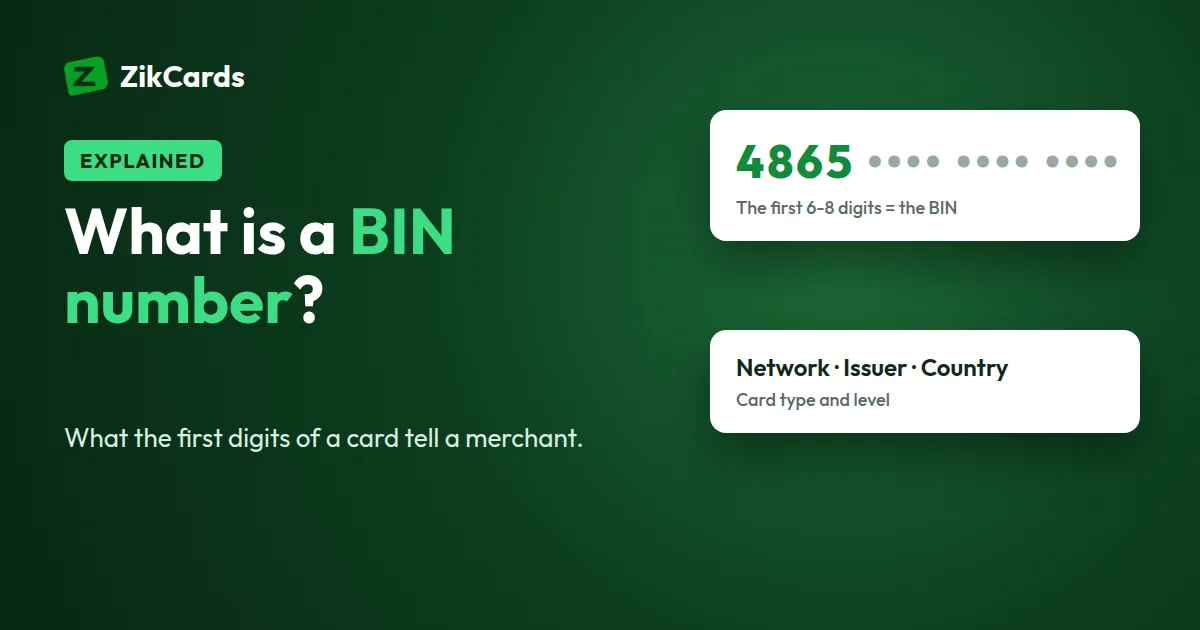
BIN stands for Bank Identification Number. It is the first 6 to 8 digits of a card number. The international standard for card numbers, ISO/IEC 7812, calls the same digits the IIN, or Issuer Identification Number. The two names mean the same thing.
For many years a BIN was 6 digits long. The standard was updated to allow 8-digit BINs, because the world was running out of 6-digit ranges, and Visa and Mastercard moved to 8-digit BINs from April 2022. Your card number did not get longer: most cards still have 16 digits. More of those digits now identify the issuer, and fewer identify the individual account.
A card number has three parts:
- The BIN (first 6 to 8 digits): who issued the card.
- The account number (the digits after it): which card it is within that range.
- The check digit (the last digit): a checksum, calculated with the Luhn formula, that catches typing mistakes.
What the first digits tell you, network by network
The very first digits are enough to name the card network. Each network owns fixed, published ranges, so you can read the brand without any database.
| Card network | Card numbers start with | Usual length |
|---|---|---|
| Visa | 4 | 16 digits |
| Mastercard | 51 to 55, and 2221 to 2720 | 16 digits |
| American Express | 34 or 37 | 15 digits |
| Discover | 6011, 644 to 649, or 65 | 16 digits or more |
| JCB | 3528 to 3589 | 16 digits or more |
| UnionPay | 62 | 16 digits or more |
So a "Visa card BIN" is any BIN that starts with 4, and a Mastercard BIN starts with 51 to 55 or 2221 to 2720. Our free card brand checker names the network from the first digits, and it runs entirely in your browser.
What a BIN reveals, and what it does not
A BIN describes the card range, not the person holding the card. A BIN lookup usually shows:
- Network: Visa, Mastercard, American Express and so on.
- Issuer: the bank or card programme that issued the range.
- Country: where the issuer is registered, for example the USA.
- Type: credit, debit or prepaid.
- Level: the product tier, such as Classic, Gold, Platinum, Business or Corporate.
A BIN does not reveal:
- the cardholder's name, address or contact details;
- the full card number, the expiry date or the security code;
- the balance or credit limit;
- whether the card is open, frozen or closed;
- whether a payment will succeed. Only the issuer decides that, at the moment of payment, after its own checks.
BIN data comes from databases that are not always up to date, and with 8-digit BINs, two cards sharing the first 6 digits can belong to different issuers. Treat a lookup result as a strong hint, not a certainty.
Credit, debit and prepaid in a BIN
The "type" field in a lookup tells you how the issuer registered the card range with the network. The three common types work like this:
- Credit: the range is registered as credit. On a classic credit product, the bank lends the money, sends a monthly bill and may charge interest.
- Debit: the card spends money straight from a linked bank account.
- Prepaid: money is loaded in advance, and the card is usually not linked to a bank account. Gift cards, travel money cards and some payroll cards sit on prepaid ranges.
The type describes the range. The card's own terms decide how you pay for what you spend, such as whether there is a credit line, a monthly bill or interest. If you want to know how your own card works, read its terms, not a BIN lookup.
Why merchants and payment providers check the BIN
When you press "Pay", the merchant's payment provider reads the BIN in a fraction of a second. It uses it for several things:
- Fraud checks. Fraud systems compare the card's country with the shopper's IP address, billing address and shipping address. A mismatch is not proof of fraud, but it adds to the risk score.
- Routing. The BIN tells the provider which network and issuer to send the payment to.
- Cost. The fees a merchant pays can differ by network, card type, card level and the card's country, so the BIN helps them predict the cost of a payment.
- Acceptance rules. Some merchants set their own rules for certain card types or card countries, for example on free trials, recurring billing or high-risk products.
- Security steps. The BIN helps decide whether to ask for a 3D Secure check, the one-time code step at checkout.
For a small seller, the most useful check is simple: does the card's country match where the customer says they are? If an order ships to one country, the card comes from another and the IP address from a third, look closer before you send the goods.
If your own card keeps being declined, read why cards are declined online.
How to look up a BIN for free
ZikCards has three free tools for this. None of them needs an account.
- BIN lookup. Enter the first six digits. It shows the network, issuer, country and type that the data holds for that range.
- BIN checker. Enter six digits or a full number. It runs the Luhn check in your browser to catch typing mistakes, and sends only the first six digits to look up the issuer.
- Card brand checker. Names the network from the first digits, with no server call at all.
Is it safe to share a BIN?
Sharing the first 6 to 8 digits on their own is low-risk. Every card in that range shares them, so they do not identify you or your account.
The rest is different. Never share your full card number, expiry date or security code, and never share a one-time 3D Secure code. Together, those details are enough to pay with your card. A genuine support team does not need them, and ZikCards never asks for them.
The BINs behind ZikCards cards
ZikCards issues virtual Visa and Mastercard cards through a licensed card issuer in the United States. You choose the brand each time you create a card, and each brand has one BIN:
| Brand | Card numbers start with | A BIN lookup shows |
|---|---|---|
| Visa | 4865** | Credit, USA |
| Mastercard | 5371** | Credit, USA |
Both are registered with the networks as US credit BINs. No credit is given, though: you load the card from your ZikCards balance first, and it spends only what is on it. There is no bill, no interest and no credit check. The cards work online wherever Visa or Mastercard is accepted, and every merchant still runs its own checks on every payment, so no card provider can promise that a payment will be accepted.
When you pay, use the billing address shown on your card page, not your home address: which billing address to use.
Frequently asked questions
Where do I find the BIN on my card?
It is the first 6 digits of the card number, printed on the front of a plastic card or shown on the card page of a virtual card. Newer Visa and Mastercard ranges use the first 8 digits, but the first 6 are enough for most lookups.
Is a BIN the same as an IIN?
Yes. IIN, Issuer Identification Number, is the name used in the ISO standard. BIN, Bank Identification Number, is the older name most people still use. Both mean the opening digits that identify the issuer.
Can someone use my BIN to pay with my card?
No. The BIN is shared by many cards and is not enough to make a payment. A payment needs the full number, the expiry date and usually the security code. Fraudsters sometimes guess numbers inside a known range and test them with small payments, which is why issuers watch for many failed attempts in a row.
Why do two BIN checkers show different banks or countries?
They use different databases, updated at different times. Some show the bank that issued the range, others the company that runs the card programme. With 8-digit BINs, tools that look at 6 digits only can also return a different issuer that shares those first digits.
What does "US BIN" mean?
It means the card's issuer is registered in the United States, so a BIN lookup shows the USA as the card's country. It says nothing about where the cardholder lives or which merchants will accept the card.
Is the BIN the same as a bank routing number?
No. A US routing number is a 9-digit code that identifies a bank, used for wire transfers, ACH payments and direct deposits. A BIN is part of a card number and is used only for card payments.
Need a US Visa or Mastercard for paying online? Create your ZikCards account. See every fee on our pricing page.
Visa, Mastercard, American Express, Discover, JCB and UnionPay are trademarks of their respective owners. ZikCards is not affiliated with or endorsed by them.