Spotify payment methods include credit and debit cards, PayPal, Google Play billing on Android, Spotify gift cards and, in some countries, phone-bill or local methods. The checkout page shows the options for your account's country. One rule catches many people: Spotify asks for a card registered in the same country as your Spotify account. This guide covers Spotify's payment methods and Premium prices, how to change or update your payment method, why a Spotify payment fails, and how to pay with a ZikCards US virtual card, directly or through PayPal.
Which payment methods Spotify accepts
Spotify takes cards, PayPal, Google Play billing and gift cards in most countries, and the exact list depends on the country set in your Spotify account. Spotify's help pages say it may offer different payment methods in different countries or regions. These are the main ones:
- Cards: Visa, Mastercard and other major credit and debit cards. Spotify asks that the card is registered in the same country as your Spotify account, is not expired, and is enabled for online, foreign and recurring payments.
- PayPal: where Spotify offers it. Your PayPal account must be verified, and the country registered on your PayPal account must match the country set in your Spotify account.
- Google Play billing on Android: in the Spotify app, choose Pay with Google Play billing at checkout and pay with a payment method saved in your Google Play account. Google then manages the payments.
- Spotify gift cards, in the countries where they are sold.
- Partner billing: some phone and internet providers include Premium in their plans and bill it themselves. Some countries also have phone-bill payment or a local method, such as UPI in India.
To see your own options, open the Premium page on spotify.com and choose a plan. Spotify says all the payment options for your account's location appear on the next page. You are not charged until you submit your payment details.
Spotify Premium price in the US
In the United States, Premium Individual costs $12.99 a month. These are the US plans and prices as Spotify lists them, last checked on 31 October 2026:
| Plan | Price a month (US) | Who it is for |
|---|---|---|
| Premium Individual | $12.99 | One account |
| Premium Student | $6.99 | Students at an eligible college or university |
| Premium Duo | $18.99 | Two accounts at the same address |
| Premium Family | $21.99 | Up to six accounts at the same address |
New members often get a free trial first; the card is charged when the trial ends. Prices differ from country to country, and Spotify can change them, so check the Premium page before you pay. Every plan renews each month on the same day until you cancel it.
Why a Spotify payment fails
Most failed Spotify Premium payments come down to one of five reasons:
- The card's country does not match your Spotify account. Spotify asks for a card registered in the same country as your account. A card from another country is refused even when it has money on it, often with a message that your payment method and country don't match.
- The card is blocked for this kind of payment. Many banks switch off online, foreign or recurring payments by default. For many people, Spotify is all three.
- There is not enough money on the card on the renewal day. A card loaded with exactly the plan price runs short as soon as any fee or other purchase is taken from it.
- The card has expired or been cancelled, so the saved details no longer work.
- A security check was not finished. Your bank may ask for a code, a password or an app approval before it pays. If you close the window, the payment fails.
Spotify's own advice is to try again in a private browser window, wait a few hours, use a different payment method, or ask your bank. A failed monthly payment does not end Premium at once: Spotify tries to take the payment again over the next few days. For a full list of decline reasons and what each one means, see our guide to a card declined online.
How to change or update your payment method on Spotify
You change your Spotify payment method on the Payment methods page of your Spotify account. Spotify's help page gives three steps:
- Log in at spotify.com and go to Payment methods in your account.
- Select Add to enter a new payment method, or Change to edit the one you have.
- Enter the details and select Add/Change payment method to confirm.
When you add a card, you may see a small charge on it. Spotify says this is only a temporary hold to check the card, and it disappears within a short time. Your next renewal uses the new method.
If your Premium comes through a phone or internet provider, that company manages your payments, so you change them with the provider. To pay Spotify directly instead, cancel Premium on the provider's website first; once your account is back on the free plan, you can sign up for Premium with Spotify.
How to pay for Spotify with a ZikCards virtual card
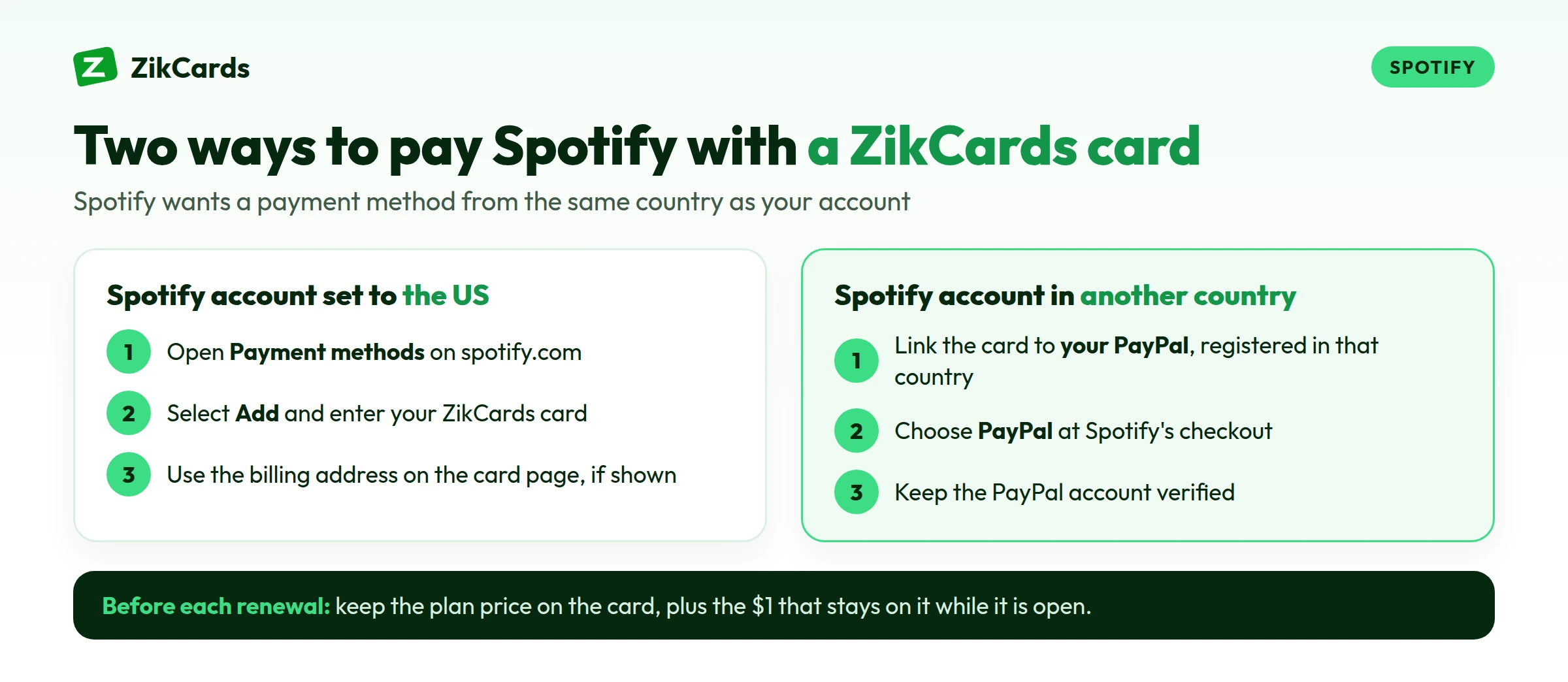
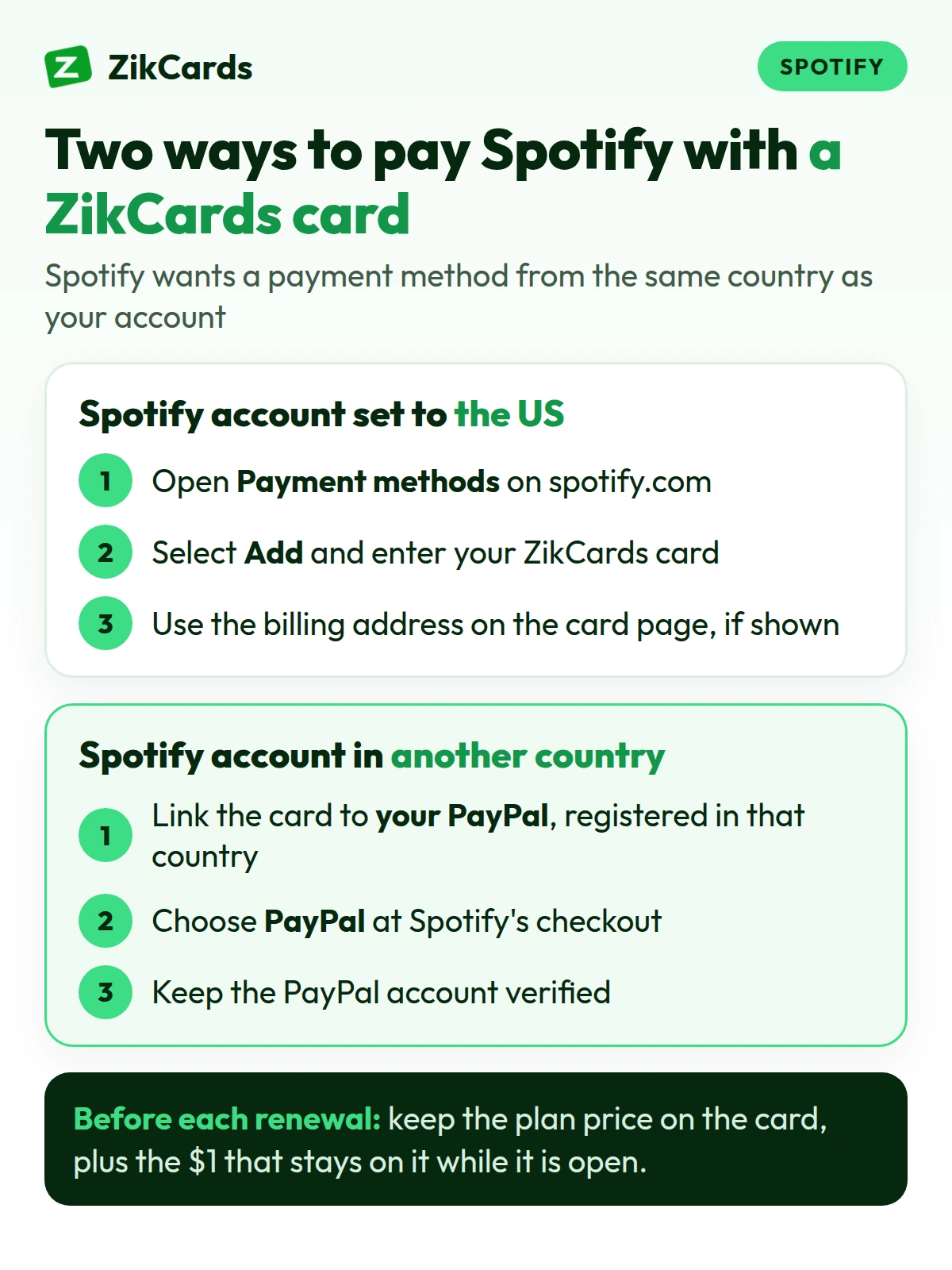
If your Spotify account is set to the United States, add a ZikCards card as your card. If it is set to another country, link the card to your own PayPal account registered in that same country, and choose PayPal on Spotify. Spotify ties your account and its price to the country you live in, so the fix is to match the payment method to the account, never the other way round.
ZikCards gives you US-issued Visa and Mastercard virtual cards, loaded from your balance, which you fund with USDT or USDC. They are issued on a US credit BIN with no credit line: a card spends only what you put on it. No bank account is needed. The first card takes about 5 minutes:
- Create your account and verify once with a photo ID and a short selfie on your phone. Most checks are approved automatically within minutes.
- Add USDT or USDC to your balance. New to this? See how to buy USDT and which network to send on.
- Create a card. Choose a virtual Visa card or a virtual Mastercard. The Issue card page shows each card's fees and what it suits before you pay.
- Load enough for the plan, plus the $1 that stays on each card while it is open (amounts below).
- Add the card where it belongs. US Spotify account: Payment methods, then Add, then enter the card. Spotify account in another country: in PayPal, link the card to your wallet, then choose PayPal on Spotify's checkout. If the card page shows a billing address, use that one, not your home address (why the billing address matters).
- Answer any security check. A 3D Secure check may ask for a one-time code. It appears at the top of your ZikCards dashboard, and in Telegram if you linked it.
On Android you can also choose Pay with Google Play billing in the Spotify app and pay with the card saved in your Google Play account. Google Play has country rules of its own: a Google payments profile belongs to one country, so the card needs to suit your Play country, just as with Spotify.
A US card removes the most common reason cards from abroad are refused, the card's country, but Spotify and PayPal each run their own checks, so no card provider can promise acceptance. PayPal can also ask to confirm a new card with a small temporary charge.
How much to load, with the fees
Load the plan price times the months you want, plus $1 that stays on the card while it is open. Moving money from your balance to a card costs 3%, and top-ups under $100 also carry $1, so loading for several months at once costs less per month:
| Load on the card | Card funding fee | Taken from your balance | Spendable | Months of Premium Individual ($12.99) |
|---|---|---|---|---|
| $45 | $2.35 (3% + $1) | $47.35 | $44 | 3 |
| $100 | $3.00 (3%) | $103.00 | $99 | 7 |
Creating a card costs $5, once. Adding money to your balance costs from $1 + 1%, depending on the network. There is no monthly card fee. If a charge settles outside the US, the card issuer's cross-border fee applies, and each card's Fees show it. If your PayPal account uses another currency, PayPal may convert the amount at its own rate. Every figure is on our pricing page.
Keep Premium running: renewals, declines and refunds
The simple rule: keep enough on the card before each renewal date, and keep the card open while Spotify uses it.
- Top up a day or two before the renewal. Spotify charges on the same day each month, so a top-up made early has time to reach the card.
- Declines can cost a little. On some cards a decline is free and only a repeat of the same purchase costs $0.75; on others it is $0.30 a payment, declined ones included. Each card's Fees show which applies. If a renewal fails, top up before Spotify tries again.
- Don't freeze the card that pays Spotify unless you want payments to stop. A frozen card declines everything (freeze or close?).
- Cancel Premium before you close the card. Closing is permanent, and the card's balance goes back to your ZikCards balance.
- Refunds go back to the card, not your balance, so keep the card open until an expected refund arrives (how refunds work).
- One card per subscription keeps each bill clear and lets you stop one without touching the others. See our guide to a virtual card for subscriptions.
Frequently asked questions
Does Spotify accept virtual cards?
Spotify's help pages ask for a card that is not expired, is enabled for online, foreign and recurring payments, and is registered in the same country as your Spotify account. They set no separate rule for virtual cards. A ZikCards card is registered in the US, so it fits a US Spotify account directly, or another country's account through PayPal.
Can I pay for Spotify with a card from another country?
Not directly. Spotify asks for a card registered in the same country as your account, and says your payment method and country don't match when they differ. If your account is in another country, pay with PayPal registered in that country, and link your card to PayPal.
Can I pay for Spotify with Google Play?
Yes, on Android. In the Spotify app, choose Pay with Google Play billing at checkout. Google then handles the payments, and plan changes are made in the Spotify app. The card in your Google Play account needs to suit your Play country.
Can I pay for Spotify without a bank account?
Yes. A ZikCards card is funded with USDT or USDC, so no bank account is needed. See our guide to a virtual card without a bank account.
Can I use PayPal for Spotify?
Yes, where Spotify offers it for your country. Your PayPal account must be verified and registered in the same country as your Spotify account. A ZikCards card can be linked to PayPal as the card behind the payment.
What happens if my Spotify payment fails?
You don't lose Premium at once. Spotify tries the payment again over the next few days. Add money to the card, or update your payment method, before those tries run out.
How do I update my card on Spotify?
Log in at spotify.com, open Payment methods in your account, select Change, enter the new card, and confirm. A small temporary hold may appear on the card while Spotify checks it.
Want a card ready for your next renewal? Create your ZikCards account. See every fee on our pricing page.
Visa, Mastercard, Spotify, PayPal and Google Play are trademarks of their respective owners. ZikCards is not affiliated with or endorsed by them.