You opened a ZikCards account, verified your ID, and then the Add Money screen asked for USDT. If you have never bought crypto, that is where it stops making sense: what USDT is, where to buy it, which "network" to pick, and how not to lose it on the way. This guide explains it in plain words: what USDT and USDC are, the safe ways to get them, how networks work, how much to buy, and how to send it to your ZikCards balance step by step.
What USDT and USDC are
USDT and USDC are stablecoins: digital tokens that are meant to keep the same value as one US dollar. Each one is issued by a private company that says it holds reserves to back the tokens. In practice, 1 USDT or 1 USDC is worth about $1, but the price can move slightly up or down.
Three things to understand before you buy:
- They are not bank deposits. No bank and no deposit insurance stands behind them. They are not money in a bank account, even though they track the dollar.
- They are a way to move dollars, not an investment. For ZikCards you buy only what you plan to spend, send it, and it becomes a US dollar balance in your account.
- Transfers cannot be reversed. There is no "cancel" button on a blockchain. A send to the wrong address or the wrong network is usually gone.
USDT or USDC? For funding ZikCards, both work the same way: your balance shows in US dollars once the deposit is confirmed. USDT is the one most exchanges and P2P sellers offer, so most people start with it. USDC is accepted on fewer networks with us (see the table below).
Where to get USDT: three safe ways
ZikCards doesn't sell USDT or USDC. You buy it somewhere else and send it to the deposit address shown in your account. Most people use one of these:
- A regulated exchange that is allowed to serve your country. You create an account, verify your identity, and buy USDT with a bank transfer or a card, where the exchange offers those options in your country. This is the simplest route if it is available to you.
- A P2P marketplace on such an exchange. You buy USDT from another user and pay them in your local currency, by bank transfer or mobile wallet. The exchange holds the seller's USDT in escrow and releases it to you when the seller confirms your payment. Read the safety rules in the next section first.
- From USDT you already hold. If you are a freelancer and a client pays you in USDT to your own wallet, you can send part of it from that wallet to your ZikCards balance. Clients cannot pay you through ZikCards itself.
Check the rules that apply to you. Rules on digital assets differ from country to country, and they change. Some countries restrict or tax crypto. Check what applies where you live before you buy, and use an exchange that is allowed to operate there. ZikCards can't advise you on your local rules.
How to buy USDT on P2P safely
P2P is safe when the whole trade stays inside the exchange. Almost every P2P scam starts when someone moves the trade outside it. Follow these rules every time:
- Pick sellers with a long record. Choose sellers with many completed trades and a high completion rate.
- Pay only the account named in the order. Use exactly the bank account or wallet shown in the order on the exchange. If the seller asks you to pay a different name or account, cancel the order.
- Talk only in the exchange's own chat. Never move the conversation to WhatsApp, Telegram or a phone call. The exchange can't help with what it can't see.
- Mark "paid" only after you really paid. And if you sell, release crypto only after the money is in your own account. Fake payment screenshots are a common trick: check your bank app, not a picture someone sends you.
- If something goes wrong, use the exchange's appeal process. Never pay twice because someone is rushing you.
Networks: the step where people lose money
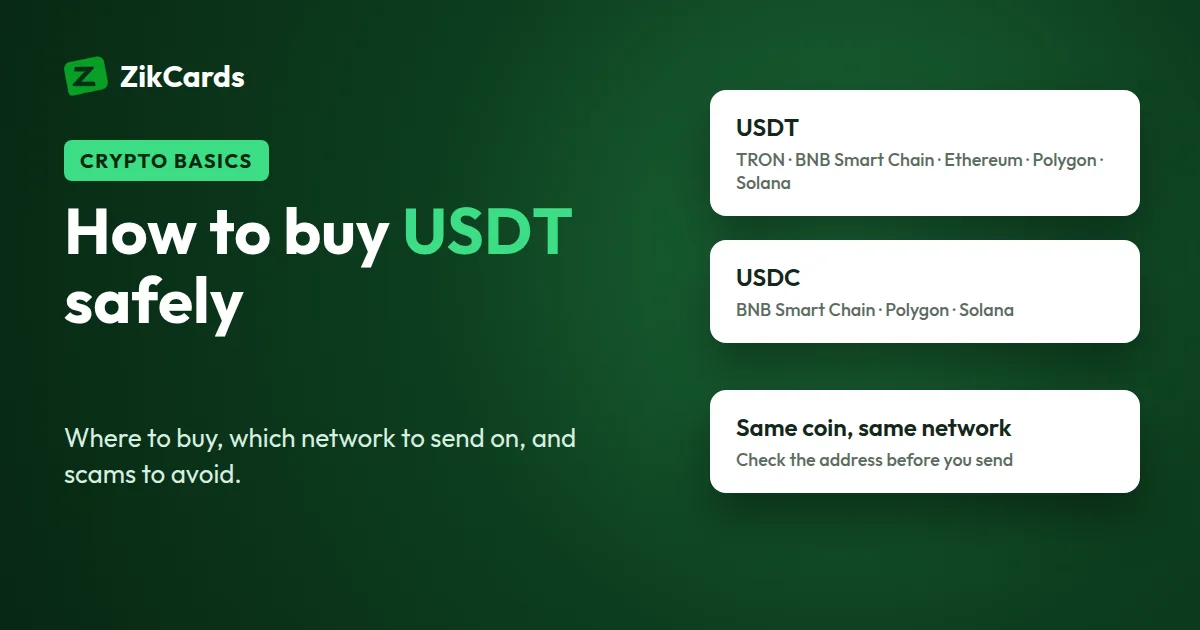
The same coin, USDT, exists on several different blockchains, called networks. USDT on TRON and USDT on BNB Smart Chain are both worth about $1, but they live on separate networks that can't see each other. When you withdraw from an exchange, it asks you which network to send on. That choice must match the network you chose in ZikCards, and the coin must match too: a deposit is credited only in the coin you chose, so never send USDC to a USDT deposit or the other way round.
- A deposit address is valid only for the network you chose. Funds sent on a different network are usually unrecoverable.
- Some addresses look identical across networks. BNB Smart Chain, Polygon and Ethereum addresses all start with
0xand look the same, so the address alone does not tell you the network. Choose it carefully. - Withdrawal fees differ by network. Exchanges charge a fee to send, and it changes with the network. Ethereum is usually the most expensive.
These are the coins and networks ZikCards accepts:
| Coin | Networks ZikCards accepts |
|---|---|
| USDT | BNB Smart Chain (BEP-20), Polygon, Solana, TRON (TRC-20) or Ethereum (ERC-20) |
| USDC | BNB Smart Chain (BEP-20), Polygon or Solana |
USDC is not accepted on TRON or Ethereum. Send USDC only on BNB Smart Chain, Polygon or Solana.
Which one should you pick? Any network in the table that your exchange also supports. Compare the exchange's withdrawal fee for each, and the ZikCards deposit fee, which can differ by network and is shown in Add Money before you send. Then select that same network in ZikCards. More detail: which network should I send USDT on.
Before you send, you can paste the address into our free USDT address checker. It checks a TRON or 0x address for typos, including the checksum where the address carries one, and tells you whether it is a TRON address or a 0x address. It can't tell BNB Smart Chain, Polygon and Ethereum apart, and it doesn't check Solana addresses, so the network choice is still yours.
How much USDT to buy
Buy what you plan to spend, plus the fees on each step. Every ZikCards fee is on the pricing page and shown in the app before you confirm. Remember one thing that surprises new users: $1.20 stays on each open card while it is open and is returned when you close the card, so what you can spend is the card balance minus $1.20.
Example: you want $50 to spend on a new card.
| Step | Amount |
|---|---|
| On the card: $50 to spend + $1.20 kept on the card | $51.20 |
| 3% fee to load $51.20 onto the card | $1.54 |
| New card, one-time | $5 ($3 with a discount code) |
| Balance you need | $57.74 |
| Deposit fee to add $57.74 (from $1 + 1%) | from $1.58 |
| You send | from $59.32 in USDT or USDC |
Then add your exchange's withdrawal fee on top. Many exchanges take that fee from the amount you send, so withdraw enough that the amount arriving still covers what ZikCards shows you.
How to send USDT to ZikCards, step by step
- Open Add Money and choose the coin and network. Pick USDT or USDC and a network from the table above, and enter the amount. The deposit fee is shown before you confirm.
- Copy the address shown after you choose. Take it from that screen every time. Never reuse an address from an earlier deposit, and don't type it by hand: use the copy button and check the first and last few characters after pasting. The address stays valid for twenty minutes, so send within that time.
- Withdraw from your exchange on the same network. In the exchange, choose the same coin and the same network, paste the address, and enter an amount that arrives in full after the exchange's fee.
- Check the address, then send the full amount in one transfer. Paste the address into the USDT address checker and compare the first and last few characters once more. Don't send a small test amount first: it leaves the deposit partly paid, and on some networks a small follow-up transfer can fail.
- Wait for confirmation. Your balance updates once the network confirms the transfer, usually within a few minutes. Ethereum can take longer when it is busy. See how long a deposit takes.
If your deposit arrived short. When less arrives than the amount shown, usually because the exchange took its fee from the send, the deposit is held rather than credited and shows as partial. Send the difference to the same address and it completes; you don't need to start again. Or choose Credit what I sent on the payment page to close the deposit with the amount that arrived. If the address has expired or you are not sure how much is missing, don't send again: contact support with the transaction hash (the transfer's ID, shown in your exchange's withdrawal history). Details: my deposit arrived short.
Scams to avoid
New crypto users are a favourite target. These are the ones to know:
- Anyone offering to "load your card" for you. Nobody needs access to your account or your card to fund it. You fund your own balance from your own exchange account, and nobody else is involved.
- Fake support. ZikCards never messages you first and never asks for your card number, security code (CVV), a one-time code, or your wallet keys or recovery phrase. Anyone who asks is not us.
- "Helpers" in comments and groups. People who reply to your question with a private link, a "recovery service" or a better rate are almost always scammers.
Reach us only through zikcards.com (a support ticket from your dashboard or the contact form), support@zikcards.com, or our Telegram support bot, @ZikCardsSupportBot.
Frequently asked questions
What is USDT?
USDT is a stablecoin: a digital token issued by a private company and meant to stay worth about one US dollar. Its value can move slightly, and it is not a bank deposit. ZikCards uses it only as a way to add dollars to your balance.
Can I buy USDT with a bank transfer?
Often, yes. Many regulated exchanges let you buy with a bank transfer or a card where they serve your country, and P2P marketplaces let you pay another user by bank transfer. Some banks question or block transfers linked to crypto, so check the rules that apply to you.
Which USDT network should I use: TRC-20 or BEP-20?
Either works with ZikCards, and so do Polygon, Solana and Ethereum. Choose the network your exchange charges least to withdraw on, and select the same one in Add Money, where the deposit fee for each network is shown. Ethereum is usually the most expensive.
What happens if I send USDT on the wrong network?
Funds sent on a different network from the one you chose are usually unrecoverable. Always copy the address after choosing the network, and pick the same network when you withdraw from your exchange.
Does ZikCards sell USDT?
No. You buy USDT or USDC elsewhere and send it to the deposit address shown in your account. There are no bank, card or local-currency deposits.
USDT or USDC: which is better for ZikCards?
Both become a US dollar balance. USDT is accepted on more networks with us and is easier to find on P2P; USDC is accepted on BNB Smart Chain, Polygon and Solana, not on TRON or Ethereum.
Ready to add your first USDT? Create your ZikCards account. See every fee on our pricing page.
WhatsApp and Telegram are trademarks of their respective owners. ZikCards is not affiliated with or endorsed by them.