Google payment error codes such as OR-CCSEH-05, OR-IEH-01, OR-RWE-03 and OR-FGEMF-20 appear when Google Play, Google Ads, YouTube, Google One or Workspace cannot take your payment. Google sorts them into three groups: your card's issuer declined the payment, Google needs you to verify your details, or Google's own checks stopped it. The group tells you the fix. Below: what each common code means, the exact message Google shows, and what to do next. Facts are from Google's help pages, read on 12 Nov 2026.
Google payment error codes: what each one means
Google's help page "Fix issues when you pay for Google products & services" lists most codes in three groups. These are the codes people search for most, with Google's message and the fix that matches its group:
| Code and the message Google shows | What it means, and the fix |
|---|---|
| OR-CCSEH-22, OR-CCSEH-32 "[Your payment issuer] declined your payment" / "Transaction declined. Try a different payment method or contact your card's issuer." | Your bank declined it, or the card is not enabled for international or online use. Fix: ask the bank to allow online and international payments, or use another card. |
| OR_CCREU_01 "Transaction declined: invalid payment method." | The issuer refused the card. Fix: check the card details, then use another card. |
| OR-HDT-14 "Correct this card info or try a different card." | A detail does not match the card's records. Fix: re-enter the number, expiry, CVV and billing address. |
| OR_CCREU_05, OR_CCREU_07 "...your payment method is linked to too many Google Accounts." | The same card is on too many accounts. Fix: add a different payment method. |
| OR-IEH-01, OR-IEH-02, OR-CAC-02 "Verify in your Google Account's payment methods" / "Verify on payments.google.com." | Google needs you to confirm the card or your identity. Fix: open payments.google.com and complete the Verify step. |
| OR-CCSEH-05, OR-CCSEH-21, OR-CCSEH-24, OR-BAIH-10, OR-CAC-01 "We couldn't complete this action. Contact us." | Google could not complete the request. Fix: wait 2 days, try again, then contact Google support. |
| OR-RWE-03 "An unexpected error has occurred. Please try again later." | Google's risk checks stopped the request. Fix: contact Google Pay support. |
| OR-FGEMF-20 "Transaction was declined." | Not explained on Google's help pages. Fix: check alerts on payments.google.com, then the card. |
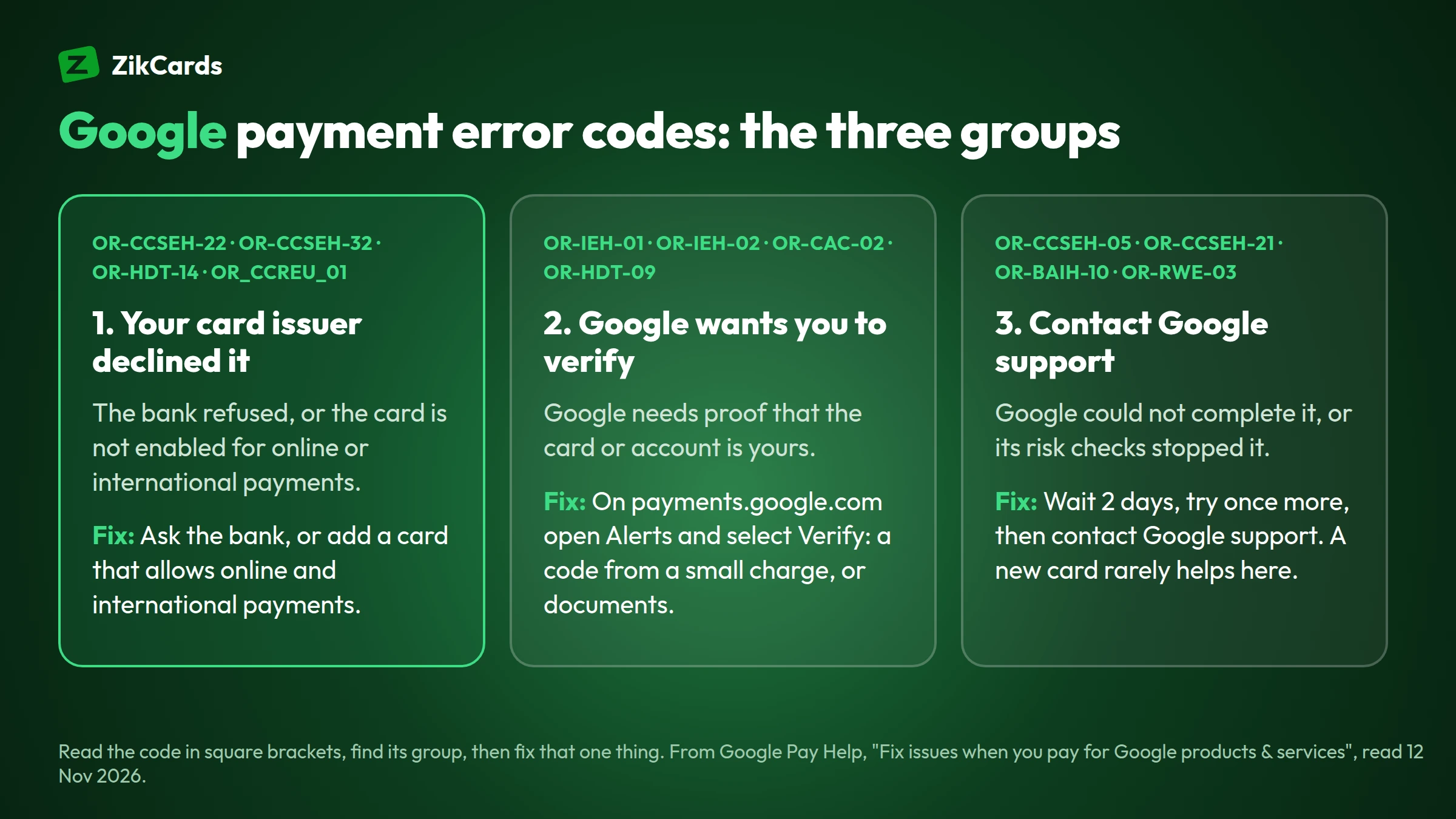
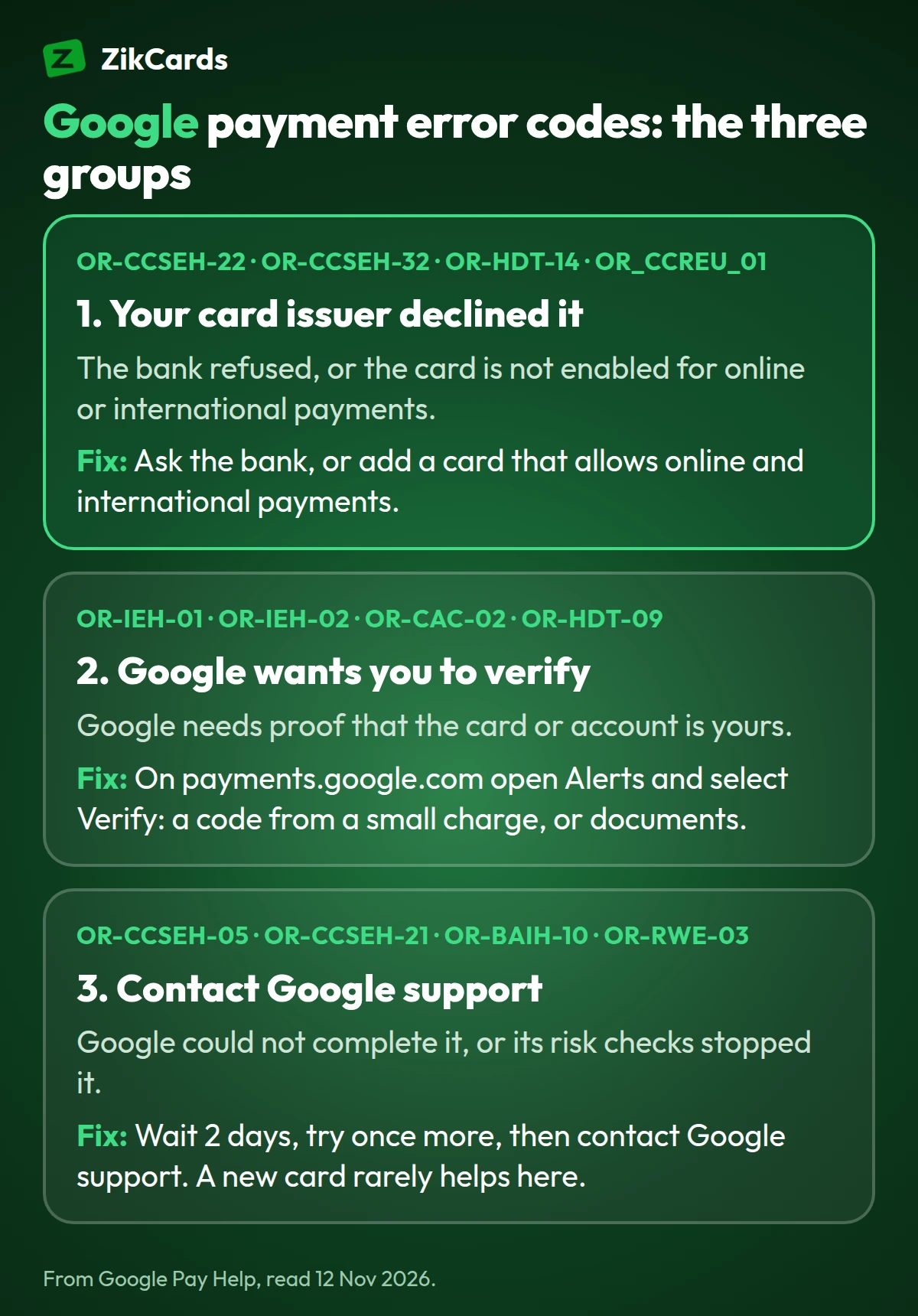
The message on your screen can differ from the one on Google's page for the same code. Read the code in square brackets at the end, then find its group.
OR-CCSEH-05: "Your request failed"
OR-CCSEH-05 is the most searched Google payment code. People usually see it when they add a card or pay with one, in this form: "Your request failed. Ensure your payment method info is correct or add a new payment method to your Google Account. [OR-CCSEH-05]". Older versions read "Transaction declined: invalid payment method. Learn more [OR-CCSEH-05]".
Google lists OR-CCSEH-05 in the group where you should wait 2 days, try again, and then contact Google support if it still fails. The message itself points to the card, so check these first:
- Re-enter the card details: number, expiry, security code, and the billing address exactly as the card provider has it.
- Check the billing address on payments.google.com. Google says the billing address for your payment method must match the address in your Google Pay settings.
- Ask your bank about online and international payments. Many local debit cards are blocked for them by default.
- Add a different card if your bank will not allow the payment.
- Wait 2 days before trying the same card again, then contact Google support if the code comes back.
"Transaction declined: invalid payment method" and other issuer declines
Google says that when you see OR-CCSEH-22, OR-CCSEH-32, OR-HDT-14 or the OR_CCREU codes, "your payment has been declined by your issuer. This happens when the bank declines the transaction or the payment method isn't enabled for international or online use."
So the decision was made by your bank, not by Google. Google Ads says the same on its own help page: "your credit card company or bank declines your payment, not Google." The usual reasons are:
- the card is not enabled for online or international payments;
- not enough money on the card, or a daily or single-payment limit;
- an expired card, or a wrong number, CVV or ZIP code;
- too many charges on the card in a short time;
- a bank fraud check that stopped a payment to a company abroad.
Google's fixes are to update the payment method, make sure it has enough money, contact your bank, or add a different payment method. Google Ads adds: "Enter a new card that allows internet or international transactions." Our guide to a card declined online covers the reasons any checkout refuses a card.
OR-IEH-01 and other codes that ask you to verify
OR-IEH-01 ("Verify in your Google Account's payment methods"), OR-IEH-02, OR-CAC-02, OR-HDT-09 and BM-CPEC-02 mean Google wants proof that you own the card or the account. Go to payments.google.com, open Alerts and select Verify. If there is no alert, open Payment methods and select Verify next to the card.
Google verifies a card in one of two ways:
- A small temporary charge. Google charges less than $1.95; the last 6 digits in the charge's description are your verification code. It can take up to 7 days to appear, and the charge is refunded.
- Documents. Google may ask for your name, address and date of birth, an image of your government ID, proof of address and an image of the card. A review takes 1 to 7 days.
Google says any pending transactions are cancelled when it asks you to verify, so complete the step first and then pay again.
OR-RWE-03 and OR-FGEMF-20: when the problem is the account
OR-RWE-03 usually reads "An unexpected error has occurred. Please try again later." Google's troubleshooting page for card issuers says that errors like OR-RWE-03 or OR-TAPSH-08 mean Google's risk checks rejected the request, and that the account holder must contact Google Pay support. People report it with cards, UPI and wallets alike, which shows it is about the account, not one payment method. A different card usually does not clear it. Contact Google support from the product you were paying for.
OR-FGEMF-20 reads "Transaction was declined" and appears mostly on Google Play purchases. Google's help pages do not explain it. Product Experts on Google's own forum say it usually comes from a pending verification or alert in your payments profile, so check payments.google.com first. After that, the usual card reasons apply: an expired card, a bank block on international payments, or a billing address that does not match.
"Your transaction cannot be completed" on Google Play
When Google Play says "Your transaction cannot be completed", Google's own help page explains that "a variety of different situations may trigger this message." If it is followed by a request for more information, send it: Google says the other steps are unlikely to help until you do. Otherwise, Google suggests:
- make the billing address match the address in your Google payments settings;
- try a Google Play gift card for the purchase;
- on a computer use the product's website, and on a phone use its app;
- sign in to your Google Account instead of paying as a guest.
When your card is the problem: pay Google with a US virtual card
When the code says your issuer declined the payment, the fix Google gives is another card that allows online and international payments. A US virtual Visa or Mastercard is one. It works with Google Ads, Google Play and Google Workspace: we pay for them with our own cards. Each platform still runs its own checks on your account, so no card provider can promise a payment will go through.
With ZikCards, setting up takes about 5 minutes:
- Create your ZikCards account and verify once with a photo ID and a short selfie. Most checks are approved automatically within minutes.
- Add money with USDT or USDC. New to stablecoins? See how to buy USDT and which network to send on, or our guide to buying a virtual card with crypto.
- Create a card on the Issue card page, for example a virtual Visa card. The page shows each card's fees before you create it.
- Load the price plus a little extra for Google's temporary verification charge (under $1.95, refunded) and the card's fees. If Google charges in another currency or from outside the US, a cross-border fee applies, from 1.5%; each card's Fees on the Issue card page show its rate.
- Add the card on payments.google.com or in the product's payment settings. Enter the billing address shown on the card page as that card's address when the card has one; see a virtual card with a US billing address.
- Find the verification code if Google asks for one. The temporary charge shows in the card's Transactions on My cards, with the 6-digit code in the merchant name, and ZikCards also shows it at the top of your dashboard; see the merchant asked for a verification code.
ZikCards cards are on a US credit BIN, loaded from your balance, with no credit line and no monthly card fee. Paying for ads? See how to pay for Google Ads and plan the amount with our Google Ads budget calculator. For YouTube Premium, Google One and other plans, see our guide to a virtual card for subscriptions. A card can also be added to Google Wallet; see add a virtual card to Apple Pay and Google Pay.
Before you try again: avoid making it worse
- Read the code first, then use the table above. The fix for an issuer decline is different from the fix for a risk check.
- Do not retry the same card again and again. Repeated attempts can trigger more checks at the bank and at Google. For codes in the "contact us" group, Google says to wait 2 days.
- Keep one card on one account. A card linked to too many Google Accounts is refused with OR_CCREU_05 or OR_CCREU_07.
- Keep your payments profile details true and up to date. Google says you can't change the country of a payments profile; if you move, you create a new profile in the new country.
Frequently asked questions
What does OR-CCSEH-05 mean?
Google could not complete the request with that payment method. The message asks you to check the card details or add a new payment method. Google lists the code among those where you wait 2 days, try again and then contact Google support.
Why does Google say "Transaction declined: invalid payment method"?
Google lists it as OR_CCREU_01, among the codes where your card's issuer declined the payment. The bank refused it, or the card is not enabled for online or international use. Check the details, ask the bank, or add another card.
How do I fix OR-RWE-03?
Google's page for card issuers says errors like OR-RWE-03 mean Google's risk checks rejected the request, and that you need to contact Google Pay support. Changing the card usually does not help.
What is error OR-FGEMF-20 on Google Play?
A declined Play purchase. Google does not explain the code publicly. Check payments.google.com for an alert or a verification step first, then the card: expiry, money on it, international payments and billing address.
How do I fix OR-IEH-01?
Verify your payment method. On payments.google.com, open Alerts or Payment methods and select Verify, then follow the steps: a code from a small temporary charge, or documents.
Can I use a virtual card on Google Play and Google Ads?
Yes. A virtual Visa or Mastercard is added like any other card; ours work with Google Ads, Google Play and Google Workspace. Each platform still runs its own checks, so no card provider can promise acceptance.
How long does Google take to fix a declined payment?
For codes in the "contact us" group, Google says to wait 2 days before trying again. A document check takes 1 to 7 days, and a verification charge can take up to 7 days to appear.
Google declined your card again? Create your ZikCards account. See every fee on our pricing page.
Google, Google Play, Google Ads, Google Workspace, Google One, Google Wallet, Google Pay and YouTube are trademarks of Google LLC. Visa, Mastercard and the other brands named here are trademarks of their respective owners. ZikCards is not affiliated with or endorsed by them.