Alibaba payment methods include cards, Apple Pay, Google Pay, PayPal, wire transfer (T/T), online banking and pay-later plans, and the checkout shows which ones your country gets. A card payment on Alibaba.com carries a 2.99% fee and can be up to USD 12,000. Below: each method's fee and limit, how to pay on Alibaba, how to pay a supplier with a virtual card, and what to check when a payment fails. Alibaba's figures come from its own fee table, read on 10 Nov 2026.
Alibaba payment methods, fees and limits
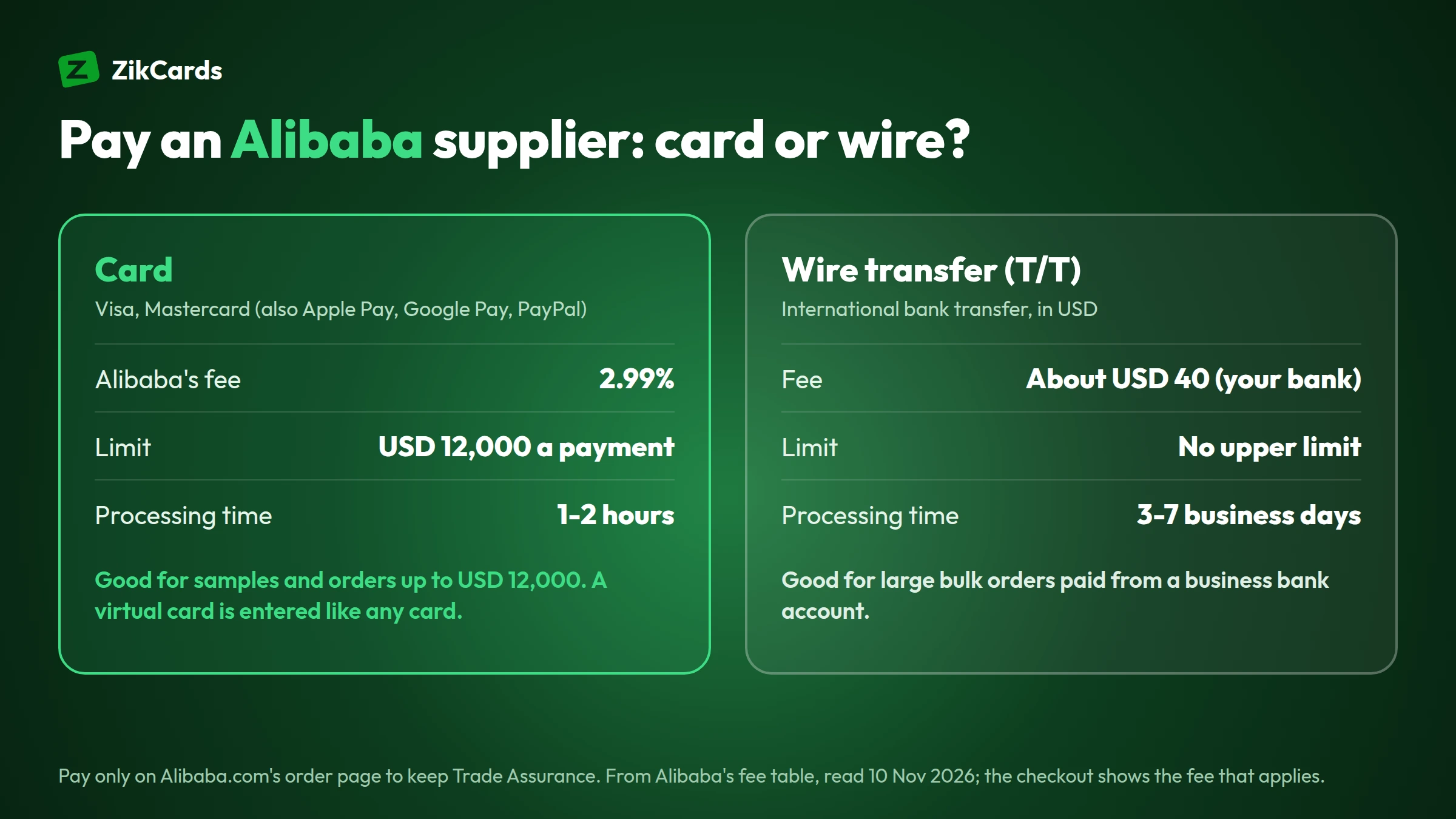
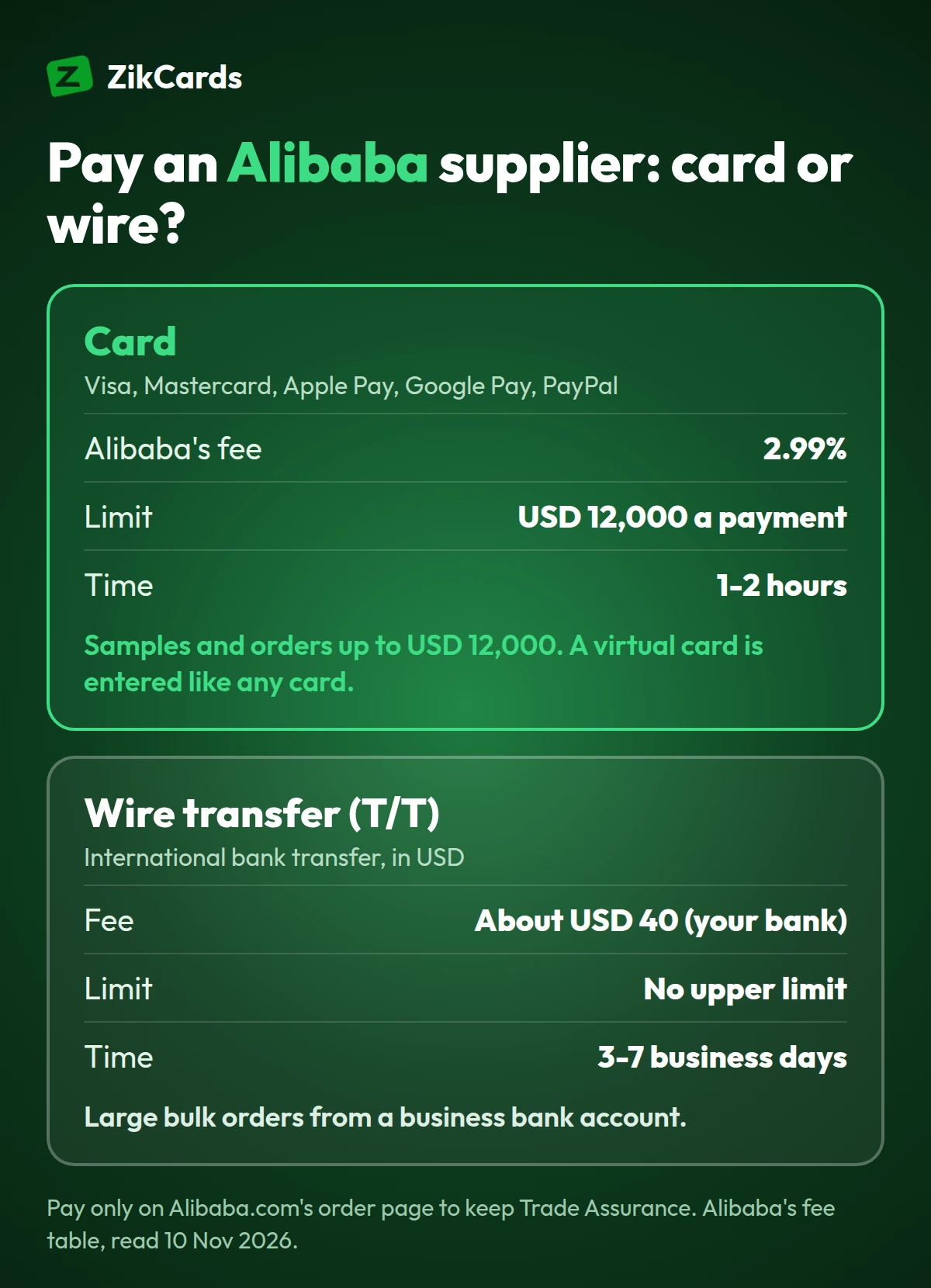
Alibaba.com takes cards, digital wallets, bank transfers and pay-later plans, and charges a processing fee on most of them: 2.99% on cards, Apple Pay, Google Pay and PayPal, while an international wire transfer costs about USD 40 in bank charges. These are the methods most buyers paying in US dollars see:
| Payment method | Currency and limit | Alibaba's fee | Processing time |
|---|---|---|---|
| Credit or debit card | Many currencies, up to USD 12,000 | 2.99% of the payment | 1-2 hours |
| Apple Pay, Google Pay | Many currencies, up to USD 12,000 | 2.99% of the payment | 1-2 hours |
| PayPal | Many currencies, up to USD 12,000 | 2.99% of the payment | 1-2 hours |
| Online banking | USD, up to USD 25,000 | 2.99%, at most USD 30 a payment | 8 business days |
| Wire transfer (T/T), international | USD, no upper limit | About USD 40, charged by your bank | 3-7 business days |
| Klarna, Afterpay (Clearpay) | Local currency (Klarna up to USD 10,000, Afterpay up to USD 2,000) | 2.99% of the payment | 1-2 hours |
| Pay Later for Business | USD, up to USD 999,999 | Depends on the finance provider | 1-2 hours |
The table also lists local methods for many countries, such as UPI in India, GCash in the Philippines and Mercado Pago in Latin America. Alibaba says that when its fee table and the checkout page differ, the checkout page is what counts, so read the fee shown there before you confirm. Alibaba also lets you pay in more than 40 currencies, which saves a conversion when your card is in that currency.
How to pay on Alibaba, step by step
You pay for an Alibaba order through Alibaba.com's own checkout, never to the supplier directly. That is what keeps the order under Trade Assurance, Alibaba's order protection.
- Agree the order with the supplier in Alibaba's messages: product, quantity, price and shipping. Keep the whole conversation on Alibaba.com.
- Place the order on Alibaba.com, or ask the supplier to send you an order there, and check every line before paying.
- Open the order's payment page and choose a method and a currency. If you pay by card, choose the card's own currency (US dollars for a USD card) to avoid a conversion.
- Enter the card details: number, expiry date, security code, the name on the card and its billing address.
- Confirm and wait. A card payment takes 1-2 hours to process, and a wire transfer 3-7 business days.
- Confirm receipt when the goods arrive. Alibaba holds the payment and releases it to the supplier after you confirm.
Trade Assurance: why you pay on the platform
Trade Assurance holds your payment in escrow and releases it to the supplier only after you receive and confirm the product. Alibaba says it is free for buyers. If an order is not shipped, goes missing, or arrives with defects, wrong items or damage, you can claim a refund through it.
The protection covers payments made on Alibaba.com only. Alibaba's own advice is plain: never pay outside the platform. A supplier who asks you to pay a personal bank account, a money transfer service or a crypto wallet "to save the fee" is asking you to give up that protection. Say no, and pay through the order page.
Pay an Alibaba supplier with a virtual card
A virtual Visa or Mastercard is entered at Alibaba's checkout exactly like a plastic card: number, expiry, security code and billing address. Buyers use one for two reasons. If your local card is refused for international online payments, a US card removes the most common reason, the card's country. And a separate card for supplier orders keeps business spending apart from everything else, which makes each order easy to check later.
Alibaba still runs its own checks on every payment and account, so no card provider can promise a payment will go through. With ZikCards, setting up takes about 5 minutes:
- Create your ZikCards account and verify once with a photo ID and a short selfie. Most checks are approved automatically within minutes.
- Add money with USDT or USDC. New to stablecoins? See how to buy USDT and which network to send on. You need no bank account; our guide to a virtual card without a bank account explains why.
- Create a card on the Issue card page, for example a virtual Visa card. The page shows what each card is for and its fees before you create it.
- Load the order total plus the fees (next section), then pay on Alibaba in US dollars. Use the billing address shown on the card page when the card has one; our guide to how to use a virtual card walks through each checkout field.
ZikCards cards are loaded from your balance and spend only what is on them, with no credit line and no monthly card fee. For a card per supplier, client or project, see virtual cards for business, and for paying other merchants abroad, a virtual card for international payments.
How much to load for an Alibaba order
Load the order total, plus Alibaba's 2.99% card fee, plus the card issuer's cross-border fee if the payment settles outside the US, as it can on an international marketplace. Cross-border fees start at 1.5%, and each card's Fees on the Issue card page show its rate. The examples below are for a card with a 1.5% cross-border fee and $0.30 per payment:
| Example | Sample order | Bulk order |
|---|---|---|
| Order total (goods and shipping) | $300.00 | $2,000.00 |
| Alibaba's card fee, 2.99% | $8.97 | $59.80 |
| Charged by Alibaba | $308.97 | $2,059.80 |
| Cross-border fee, 1.5%, if settled outside the US | $4.63 | $30.90 |
| Payment fee | $0.30 | $0.30 |
| Load at least | $313.90 | $2,091.00 |
Other cards may differ: some charge no payment fee and keep $1 on the card while it is open, with a cross-border fee of $0.50 + 2.5%. Moving money from your balance onto a card costs 3% (plus $1 on a load under $100), a card costs $5 once to create, and every fee is on our pricing page.
Large orders. Alibaba's card limit is USD 12,000 a payment, and cards have their own limits: our US cards take up to $10,000 a load, and our Singapore Visa cards spend up to $5,000 a day. For a bulk order above those, a wire transfer from a business bank account may suit better, at about USD 40 in bank charges.
Alibaba payment failed: what to check
Most failed Alibaba card payments come down to the money on the card, the billing details, or a verification step that was not finished. Check these in order:
- Enough on the card. The card must cover the order, Alibaba's 2.99% and any cross-border fee, not only the price you agreed with the supplier.
- Billing address and name. When the card page shows a billing address, enter exactly that one, not your home address, and the name as it appears on the card. Our guide to a virtual card with a US billing address covers the usual mistakes.
- Currency. Pay in the card's currency. For a USD card, choose US dollars at checkout.
- Verification. If a 3D Secure check appears, finish it in the same window. Cards with 3D Secure show it on our Issue card page, and their one-time code appears at the top of your ZikCards dashboard; see the merchant asked for a verification code.
- Do not pay twice. If your card shows the charge but the order still reads unpaid, give it the 1-2 hours Alibaba's fee table gives for card payments before you try again.
Fix the cause before you retry. Some cards charge a fee when the same purchase is declined again and again, and repeated failures can also bring more checks on your account. For bank-side reasons in general, see why a card is declined online.
Alibaba or AliExpress: which one are you paying?
Both belong to the Alibaba Group, but they sell differently, and the difference matters when you plan a payment.
| Alibaba.com | AliExpress | |
|---|---|---|
| Who sells | Manufacturers and wholesalers | Shops selling single items |
| Typical order | Samples and bulk orders, often with a minimum quantity | One item or a few, delivered to your door |
| Price | Often agreed with the supplier | Fixed on the product page |
| Protection | Trade Assurance on orders paid on the platform | AliExpress's own buyer protection |
This guide covers Alibaba.com. AliExpress has its own checkout and its own reasons a payment fails.
Refunds on an Alibaba order paid by card
A refund on an order paid by card goes back to the card that paid it, not to your ZikCards wallet. So keep that card open until any refund you expect has arrived; several days is normal once Alibaba or the supplier sends it. Then spend it on the card or close the card, which returns its balance to your wallet in full with no fee. Our guide on virtual card refunds and the help answer on how refunds from a merchant work explain the timing.
Frequently asked questions
What payment methods does Alibaba accept?
Credit and debit cards, Apple Pay, Google Pay, PayPal, online banking, wire transfer (T/T), pay-later plans such as Klarna and Afterpay, Pay Later for Business, and local methods in many countries. The checkout shows the ones offered where you are.
Does Alibaba charge a fee for card payments?
Yes. Alibaba's fee table shows 2.99% of the payment for cards, Apple Pay, Google Pay and PayPal. An international wire transfer has no Alibaba fee in the table, but your bank charges about USD 40.
Can I pay on Alibaba with a virtual card?
Yes. A virtual Visa or Mastercard is entered at checkout like any card. Alibaba runs its own checks on every payment, so no card provider can promise acceptance.
Does Alibaba accept PayPal?
Yes, where it is offered for your country, for payments up to USD 12,000, with the same 2.99% fee as a card.
What is the maximum card payment on Alibaba?
USD 12,000 a payment in Alibaba's fee table. For larger orders, a wire transfer has no upper limit.
Is it safe to pay an Alibaba supplier directly?
No. Pay only through Alibaba.com's order page. A payment made outside the platform is not covered by Trade Assurance, and Alibaba tells buyers never to pay outside it.
How long does an Alibaba card payment take?
1-2 hours to process, according to Alibaba's fee table. A wire transfer takes 3-7 business days.
Paying your next supplier order? Create your ZikCards account. See every fee on our pricing page.
Alibaba, Alibaba.com, AliExpress and Trade Assurance are trademarks of Alibaba Group. Visa, Mastercard, PayPal, Apple Pay, Google Pay, Klarna, Afterpay, Clearpay, UPI, GCash and Mercado Pago are trademarks of their respective owners. ZikCards is not affiliated with or endorsed by them.