An AliExpress payment failed message usually means the card is short of money, a card detail is wrong, the bank refused the payment, or AliExpress wants to verify the card first. The error code on the payment page, such as CSC_7200015 or CSC_7200026, tells you which. Below: what each code means and what to do, how card verification works, the AliExpress payment methods and their limits, and how to pay with a virtual card. Figures are from AliExpress's help pages, read on 11 Nov 2026.
AliExpress payment failed: the usual reasons
Most AliExpress payments fail for a reason you can fix in a few minutes: not enough money on the card, a mistyped detail, or a check AliExpress or your bank wants you to finish.
- Not enough on the card. The card must cover the order total in the currency you pay in, plus any fee your card issuer adds.
- A wrong card detail. The number, expiry date, security code (CVV) or the name on the card does not match.
- The bank refused it. Many banks block international online payments by default, or have a limit that the order goes over.
- AliExpress wants to verify the card. Its risk system may hold a payment from a new account or a new card until you prove the card is yours.
- The currency is not supported for that card or method.
The error code on the payment page tells you which of these it is, so start there.
AliExpress payment error codes and what to do
AliExpress lists its card error codes, with a reason and a fix for each, on its help page "How to solve payment issues?". These are the codes it shows:
| Error code | What it means | What to do |
|---|---|---|
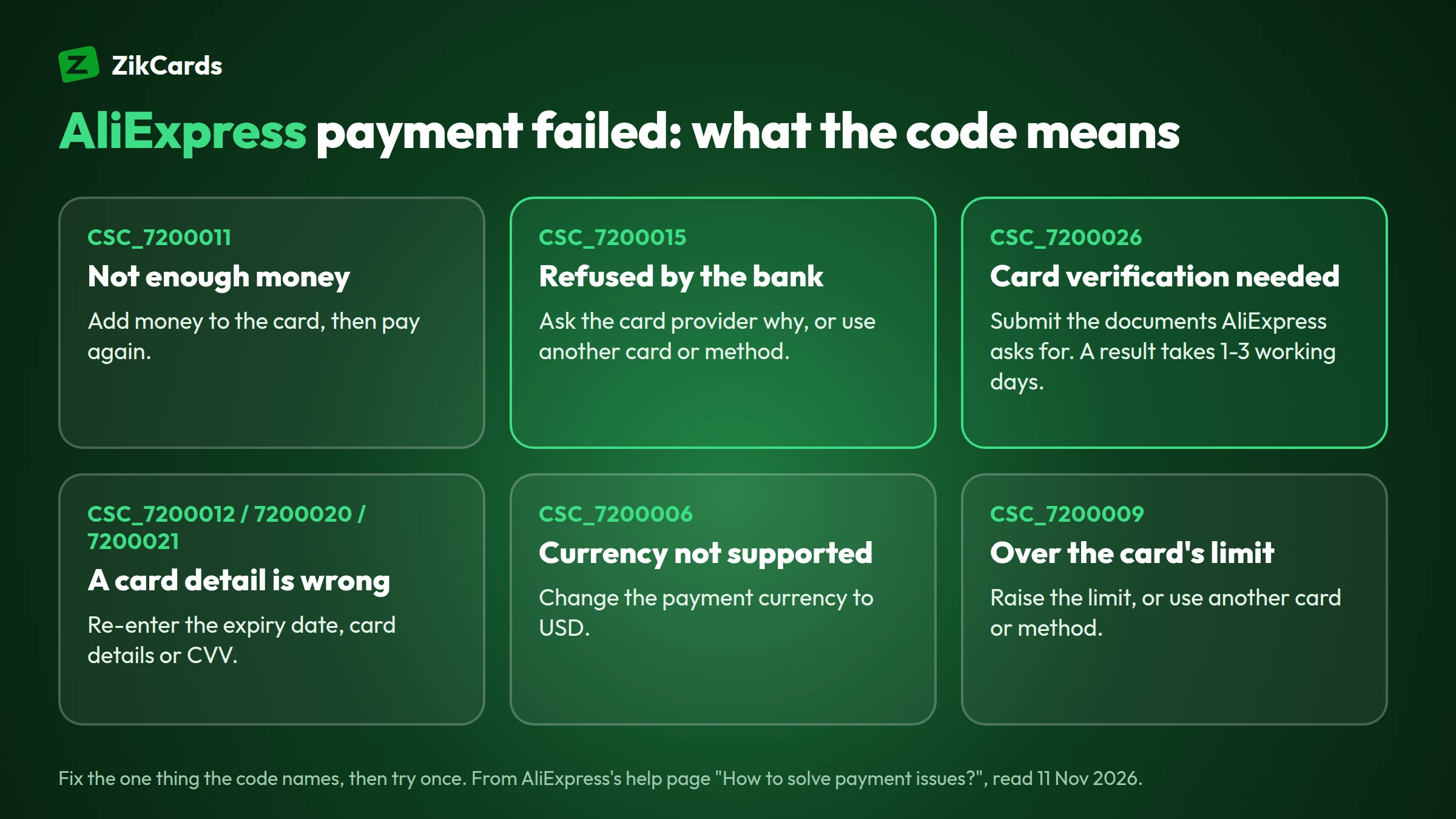
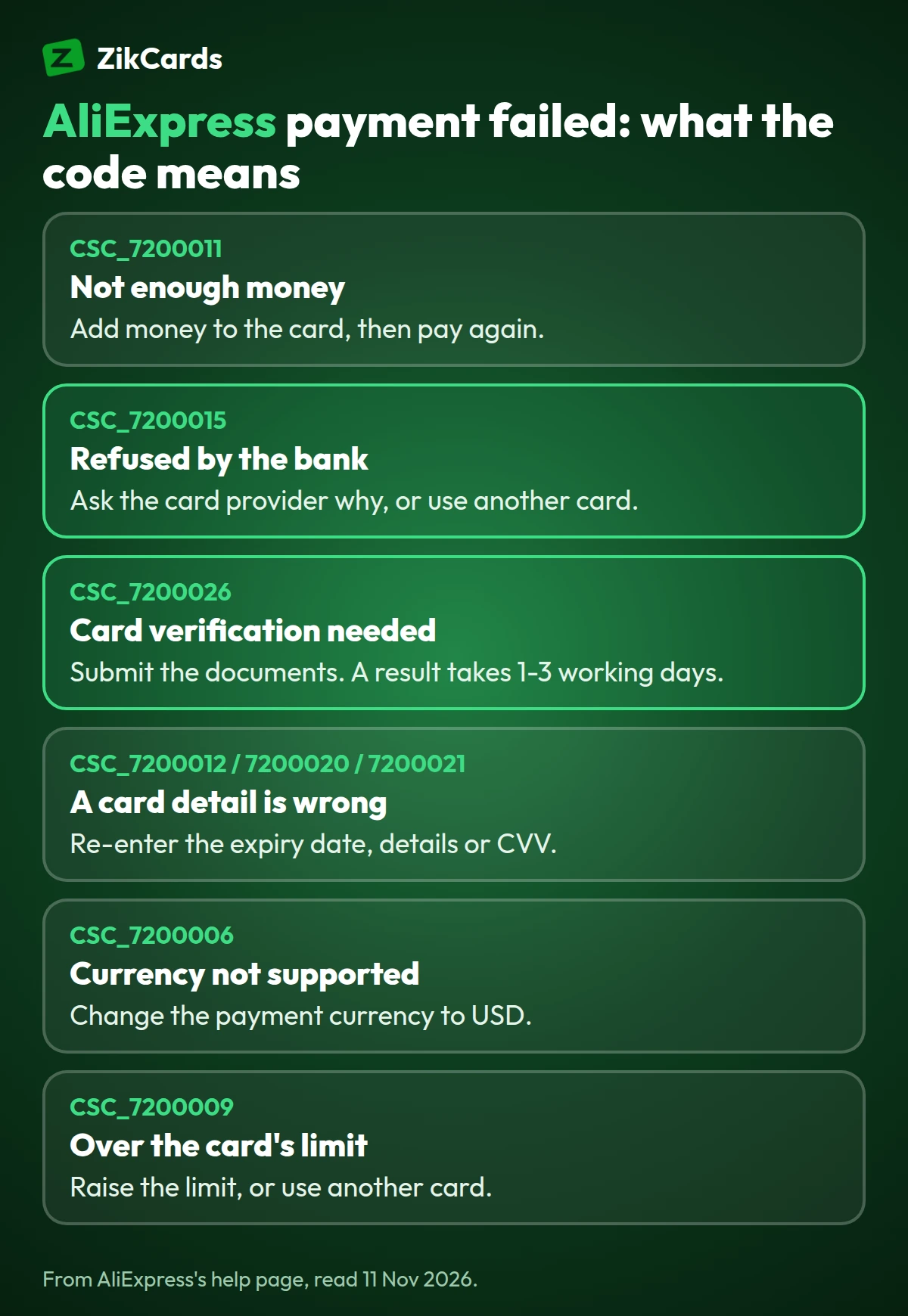
| CSC_7200011 | Not enough money on the card or account | Add money to the card, then pay again, or use another card or method |
| CSC_7200015 | Refused by your bank; only the bank can tell you why | Ask the bank for the reason, or use another card or method |
| CSC_7200022, CSC_7200051, CSC_7200001 | Card not supported, or a card detail is wrong | Check every detail; if it still fails, use another card or method |
| CSC_7200026 | Card verification (an appeal) is needed for security | Submit the documents AliExpress asks for; a result takes 1-3 working days |
| CSC_7200034 | Order information is incomplete | Check the name in the shipping address is complete and correct |
| CSC_7200012 | Wrong expiry date, or the card has expired | Enter the right expiry date, or use another card |
| CSC_7200020 | Something is wrong with the card information | Check and re-enter the card details |
| CSC_7200040 | The bank has restricted the card | Ask the bank to lift the restriction, or use another card |
| CSC_7200006 | The currency you chose is not supported for this payment | Change the payment currency to USD and try again |
| CSC_7200009 | The payment is over your card's or account's limit | Raise the limit, or use another card or method |
| CSC_7200021 | Wrong security code (CVV) | Enter the correct CVV |
If there is no code, AliExpress's advice is the same order of checks: look for a pending appeal under My Appeal first, then make sure the card is valid and has enough money, then try another card or method.
Card verification and "Payment being verified"
When AliExpress asks to verify a card, it is checking that the card belongs to you before it takes the money. It is AliExpress's own check, separate from your bank's, and it is common on a new account, a new card or a large first order.
For error CSC_7200026, AliExpress asks you to submit documents through the appeal, using the "Claim on Alipay" button or the upload link on the payment page. It says a result usually takes 1-3 working days. If you have already appealed, AliExpress asks you to wait 1 business day before paying again.
An order that says "Payment being verified" is in a shorter review. AliExpress says some payment methods need more time to process, and that 95% of orders are verified within 3 hours. Wait for it rather than paying the same order twice.
AliExpress payment methods and limits
AliExpress takes cards from Visa, Mastercard, Maestro, American Express, JCB, Diners Club and Discover, PayPal, Klarna and wire transfer, plus local methods in many countries. Its help page "What are the available methods for payment?" lists the limit for a single payment:
| Payment method | Limit for a single payment | Notes |
|---|---|---|
| Credit or debit card | Up to USD 50,000 | Visa, Mastercard, Maestro, American Express, JCB, Diners Club, Discover and some local brands |
| PayPal | USD 1-10,000 (or EUR 1-8,700, GBP 1-7,900) | Where PayPal is offered at checkout |
| Klarna | EUR 0.20-1,500 | Pay later, in the countries Klarna serves |
| Wire transfer (T/T) | USD 20 or more | USD only |
| Western Union | USD 20-5,000 | Wait 24 hours after getting the account number before paying |
| Local methods | Varies | For example Boleto in Brazil, Mercado Pago in Mexico, iDEAL in the Netherlands, Przelewy24 in Poland, M-Pesa in Kenya, cash on delivery in Saudi Arabia |
Which AliExpress payment options you see depends on your country, the currency and the app or website, so the checkout page is the final word. For a card payment, choose US dollars as the payment currency when your card is in US dollars: the price is then charged in your card's own currency, with no conversion on your side.
How to pay on AliExpress, step by step
You pay on AliExpress at checkout, by adding a card once and choosing it for each order. This is the usual order of steps on the website and the app:
- Check the order total in your cart, with shipping, before you go to checkout.
- Choose the payment currency. Pick the currency of your card, such as USD for a US dollar card.
- Add the card: number, expiry date, security code and the name on the card, exactly as the card shows them.
- Enter the billing address the card uses. Your shipping address stays your own.
- Finish any security check. If your card supports 3D Secure, the bank's check may ask for a one-time code.
- Confirm the order and check its status under My Orders.
Pay on AliExpress with a virtual card
A virtual Visa or Mastercard is entered at AliExpress checkout like any other card. Buyers use one for two reasons. If your local card is refused for international online payments, a US card removes the most common reason, the card's country. And a separate card for online shopping keeps those payments apart from your main money, so a card you close or freeze never affects anything else.
AliExpress still runs its own checks on every payment and account, so no card provider can promise a payment will go through. With ZikCards, setting up takes about 5 minutes:
- Create your ZikCards account and verify once with a photo ID and a short selfie. Most checks are approved automatically within minutes.
- Add money with USDT or USDC. New to stablecoins? See how to buy USDT and which network to send on. You need no bank account; see our guide to a virtual card without a bank account.
- Create a card on the Issue card page, for example a virtual Visa card. The page shows each card's fees, and whether it has 3D Secure, before you create it.
- Load the order total plus the fees (next section), then pay on AliExpress in US dollars. Use the billing address shown on the card page when the card has one; see which billing address to use at checkout. If a check asks for a code, it appears in your ZikCards dashboard; see the merchant asked for a verification code.
ZikCards cards are loaded from your balance and spend only what is on them, with no credit line and no monthly card fee. For paying other shops and services abroad, see our guide to a virtual card for international payments, and our guide to how to use a virtual card walks through each checkout field.
How much to load for an AliExpress order
Load the AliExpress total in US dollars, plus the card issuer's cross-border fee if the payment settles outside the US, as a marketplace payment can, plus the card's payment fee. Cross-border fees start at 1.5%, and each card's Fees on the Issue card page show its rate. The examples below are for a card with a 1.5% cross-border fee and $0.30 per payment:
| Example | Small order | Larger order |
|---|---|---|
| AliExpress total in USD (items and shipping) | $25.00 | $120.00 |
| Cross-border fee, 1.5%, if settled outside the US | $0.38 | $1.80 |
| Payment fee | $0.30 | $0.30 |
| Load at least | $25.68 | $122.10 |
Other cards may differ: some charge no payment fee and keep $1 on the card while it is open, with a cross-border fee of $0.50 + 2.5%. Moving money from your balance onto a card costs 3% (plus $1 on a load under $100), a card costs $5 once to create, and every fee is on our pricing page.
Before you try again: avoid repeated declines
After an AliExpress payment failed message, trying the same card again and again rarely fixes it, and it can make things worse. AliExpress's risk system may read many quick retries as a warning sign, and switching between several cards in one session can make the account itself look risky. On the card side, some cards charge a fee when the same purchase is declined repeatedly within an hour, and a card can be closed after several in a row.
- Read the error code and fix that one thing first.
- Check the card's balance covers the total and the fees above.
- Finish any appeal or check before paying again.
- Then try once. If it fails again with CSC_7200015, the refusal comes from the card's side, so ask the card provider rather than retrying.
For declines at other big shops, our guide to Amazon card declined covers Amazon, eBay, Temu and Shein, and card declined online covers the general reasons. Buying from a manufacturer instead? See Alibaba payment methods.
Frequently asked questions
Why does AliExpress keep saying payment failed?
Usually because of not enough money on the card, a wrong card detail, a bank refusal or a card verification AliExpress wants first. The error code on the payment page says which one. Fix that, check for a pending appeal under My Appeal, then try once.
What does error CSC_7200015 mean on AliExpress?
The payment was refused by your bank or card provider, and only they can tell you the exact reason. Ask them, or pay with another card or method.
How long does AliExpress card verification take?
For error CSC_7200026, AliExpress says a result usually takes 1-3 working days after you submit the documents. An order marked "Payment being verified" is shorter: AliExpress says 95% are verified within 3 hours.
Can I pay on AliExpress with a virtual card?
Yes, a virtual Visa or Mastercard is entered at checkout like a plastic card. AliExpress runs its own checks on every payment, so no card provider can promise acceptance, but a US card removes the most common reason local cards are refused, the card's country.
Which currency should I pay in on AliExpress?
Pay in your card's own currency. For a US dollar card, choose USD, so no conversion is added. If AliExpress shows CSC_7200006, the currency you chose is not supported; switch to USD.
What are the AliExpress payment options?
Cards from Visa, Mastercard and other networks, PayPal (USD 1-10,000 a payment), Klarna, wire transfer and many local methods. The AliExpress payment options you see depend on your country; the checkout shows which ones you get.
Where does an AliExpress refund go?
Back to the card or method you paid with. For a virtual card, keep the card open until the refund arrives; see virtual card refunds.
Ready to pay your next AliExpress order with a card in US dollars? Create your ZikCards account. See every fee on our pricing page.
AliExpress, Alibaba and Alipay are trademarks of Alibaba Group. Visa, Mastercard, PayPal, Klarna and the other brands named here are trademarks of their respective owners. ZikCards is not affiliated with or endorsed by them.